> For the complete documentation index, see [llms.txt](https://dev.pointr.tech/llms.txt). Markdown versions of documentation pages are available by appending `.md` to page URLs; this page is available as [Markdown](https://dev.pointr.tech/features/indoor-maps/customizations-and-branding/map-style.md).

# Map Style

Learn how to control the appearance of your indoor and outdoor maps using map styles in the Pointr Cloud Dashboard.

## What is Map Style?

Map styles define **how maps look**, both indoors and outdoors. They’re managed using configuration files like <kbd>style.json</kbd> and base map sources, compatible with **Mapbox GL** and **MapLibre GL.**

The style definition includes:&#x20;

* **Layer styles** – how fill-extrusion, fill, lines, symbols, and labels appear
* **Data sources** – map data origin
* **Visual rules** – colors, fonts, transparency, etc.
* **Metadata** – general info like name, version, and more

It follows the [**Mapbox Style Specification**](https://docs.mapbox.com/mapbox-gl-js/style-spec/), applied with the [**Pointr Taxonomy**](https://dev.pointr.tech/features/indoor-maps/taxonomy-table.md).

## Outdoor Maps

In addition to the style information, the `style.json` defines the data source used for outdoor mapping data. Pointr supports two options for outdoor map content: **OpenStreetMap** and **ESRI** outdoor maps. Pointr has also enriched these maps with **3D features such as trees and key landmarks.**

| OpenStreetMap                                                                                    | ESRI Outdoor Maps                                                                                 | Rich 3D features (e.g., trees)                                                                                      |
| ------------------------------------------------------------------------------------------------ | ------------------------------------------------------------------------------------------------- | ------------------------------------------------------------------------------------------------------------------- |
| ![](https://content.gitbook.com/content/X0ubTdDuDEByHfWtKKVg/blobs/kQs9vQGmlkq2jwEjQRcC/osm.png) | ![](https://content.gitbook.com/content/X0ubTdDuDEByHfWtKKVg/blobs/hXKq7Dp2uFLYFlSZfCn6/esri.png) | ![](https://content.gitbook.com/content/X0ubTdDuDEByHfWtKKVg/blobs/HaolJjXyLfVJUh2TBuKQ/rich%20outdoor%20trees.png) |

## Sector-based Map Styling

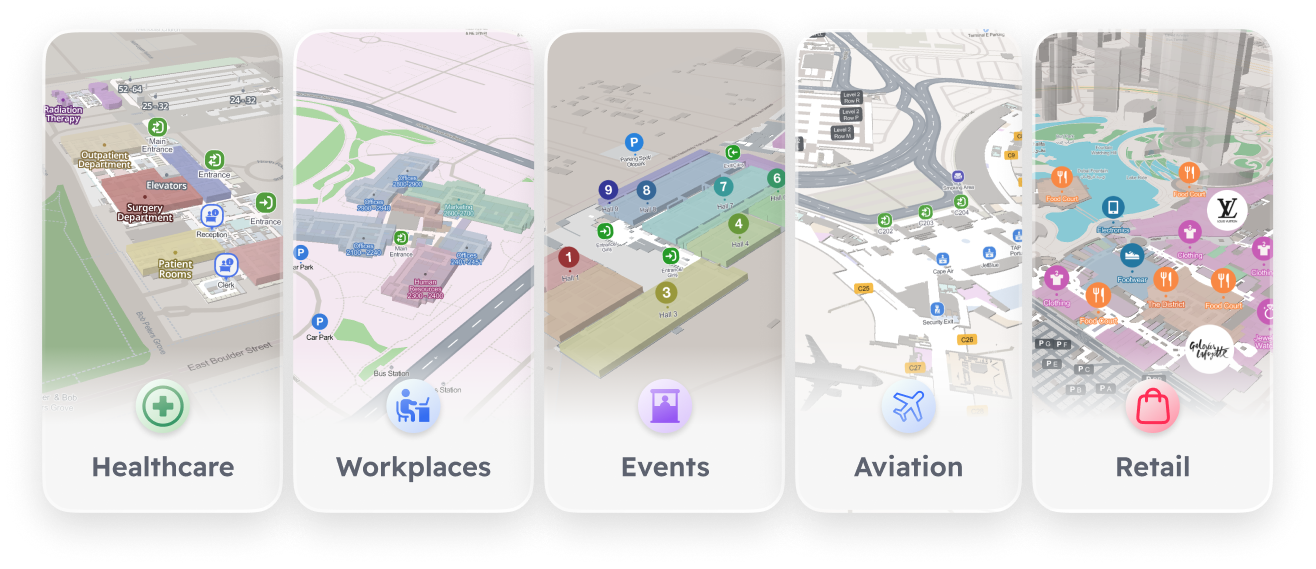
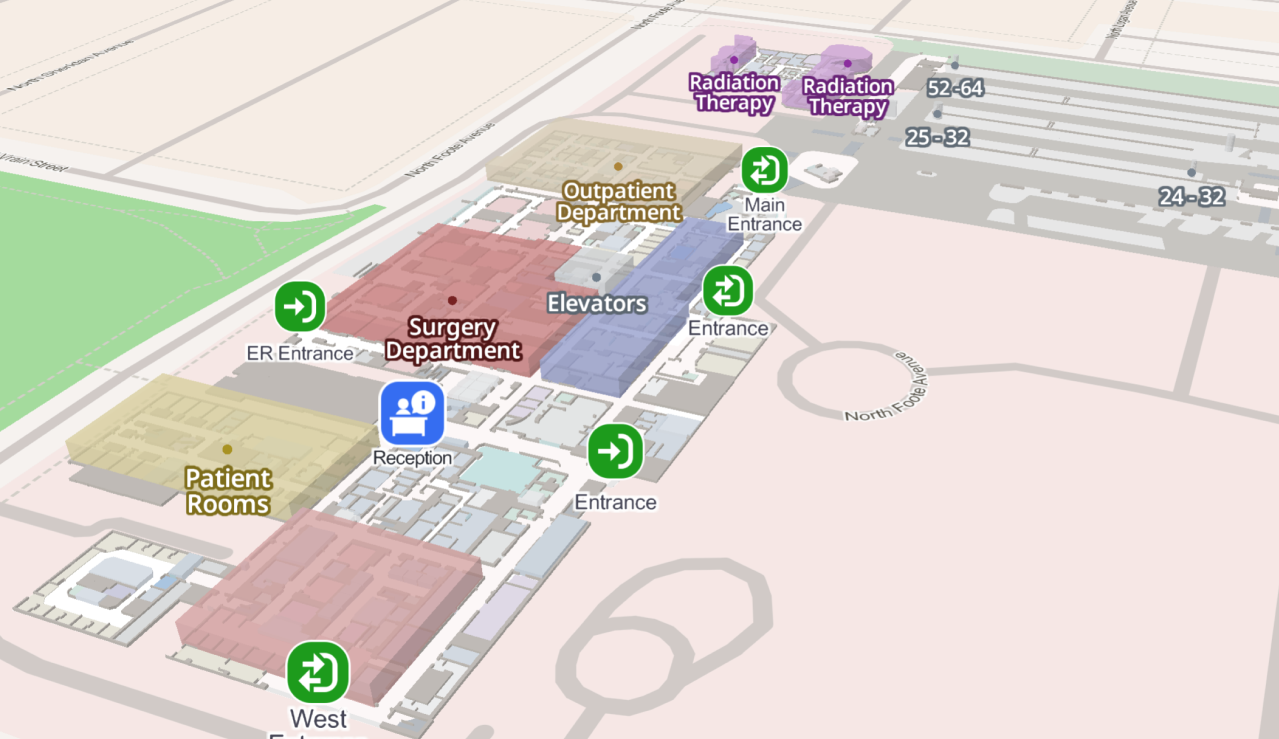
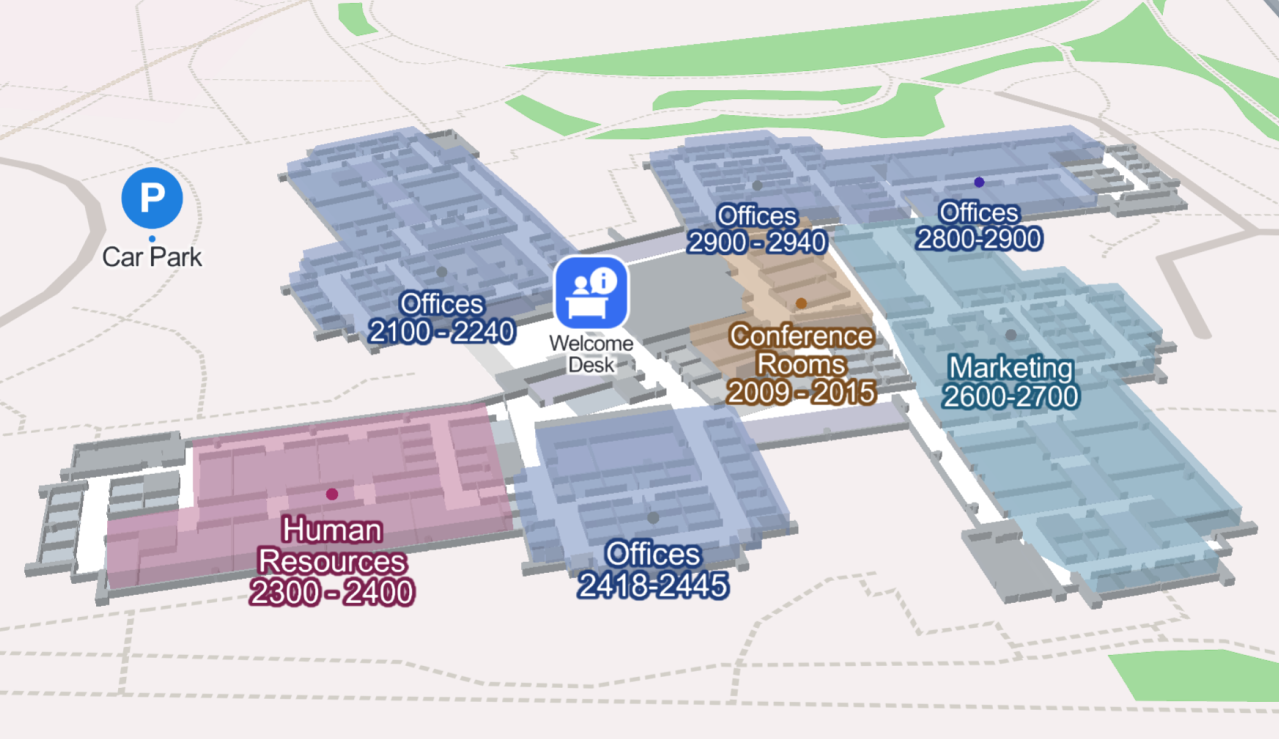
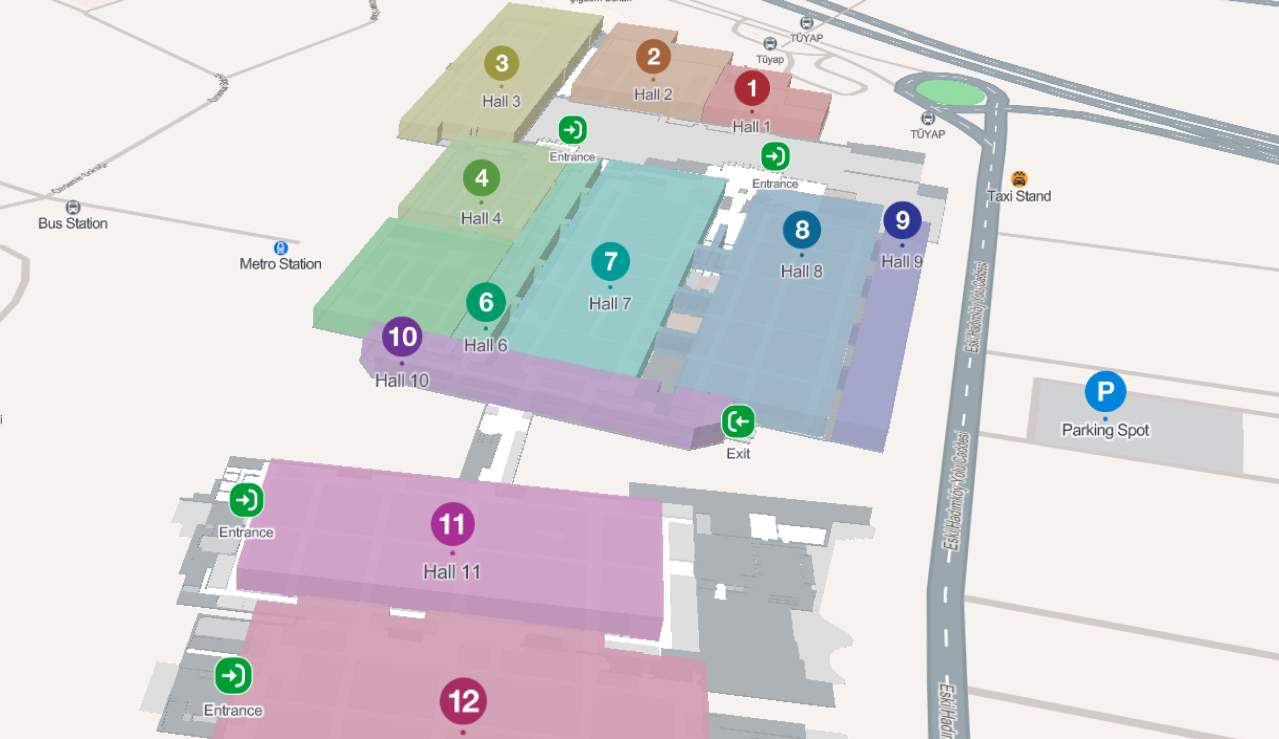
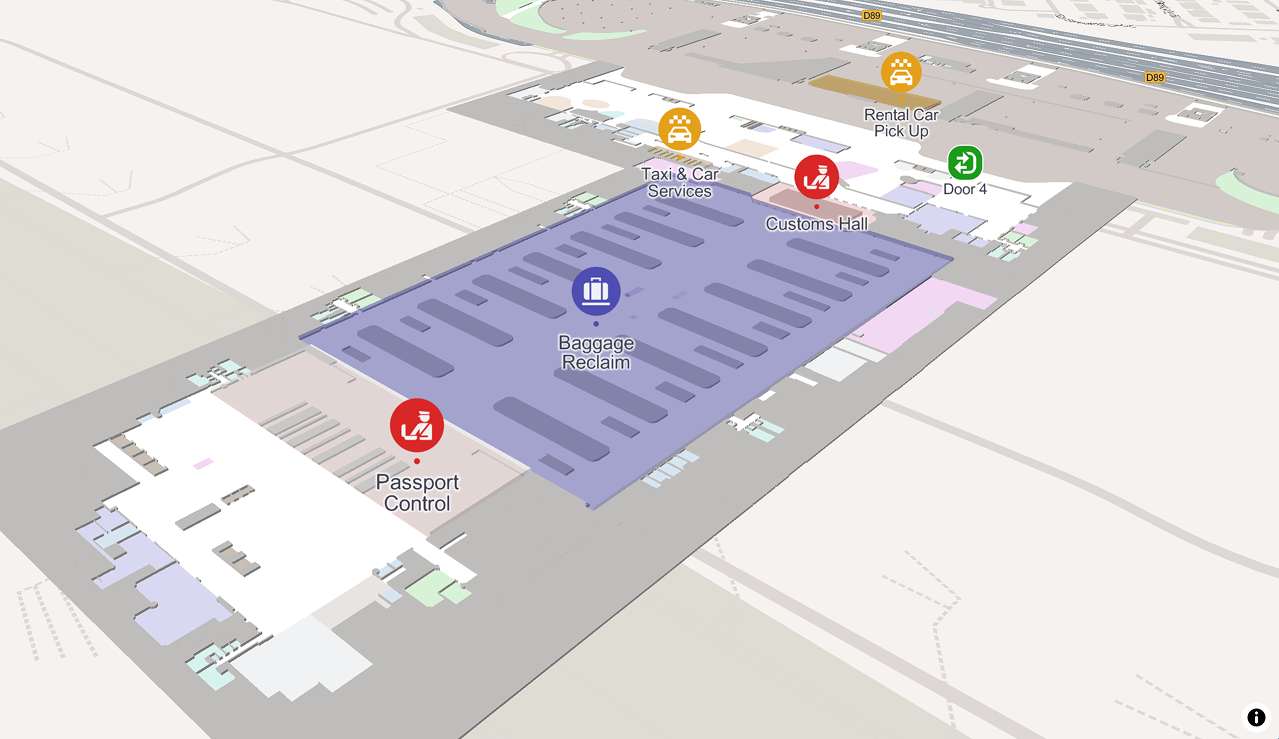
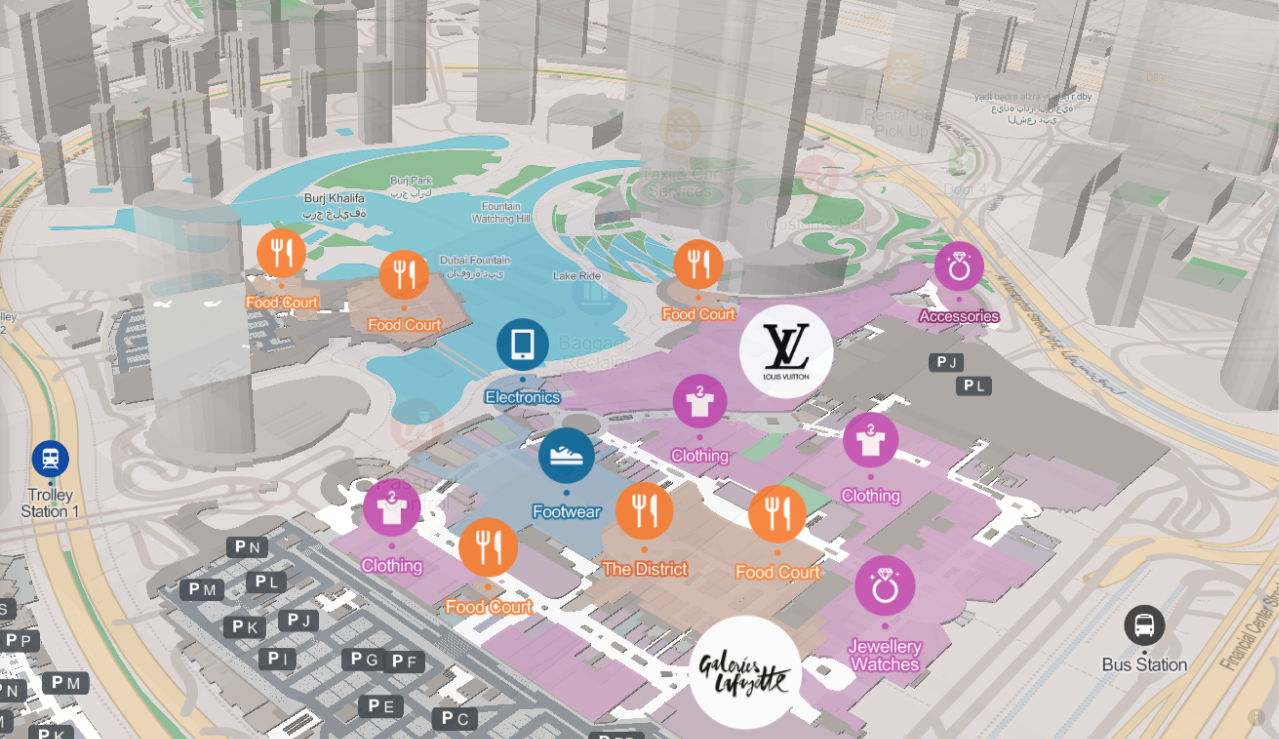
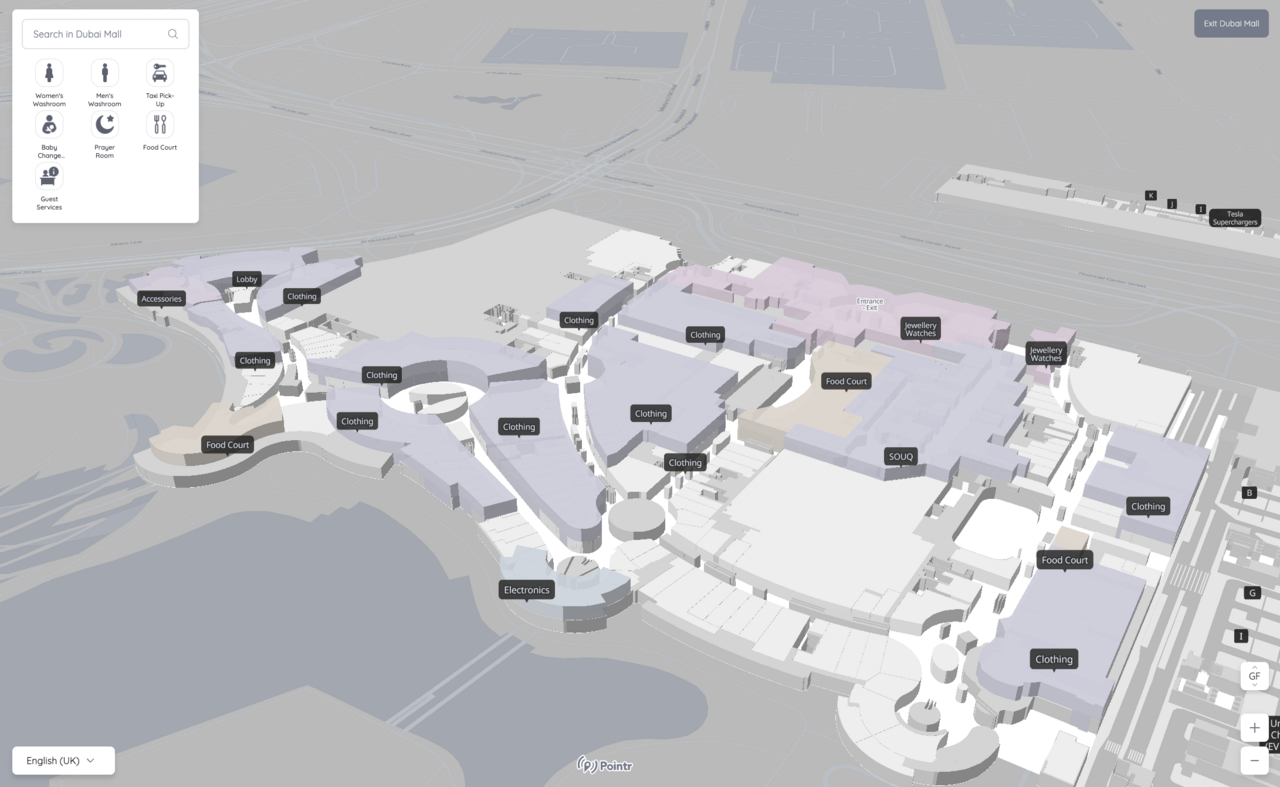
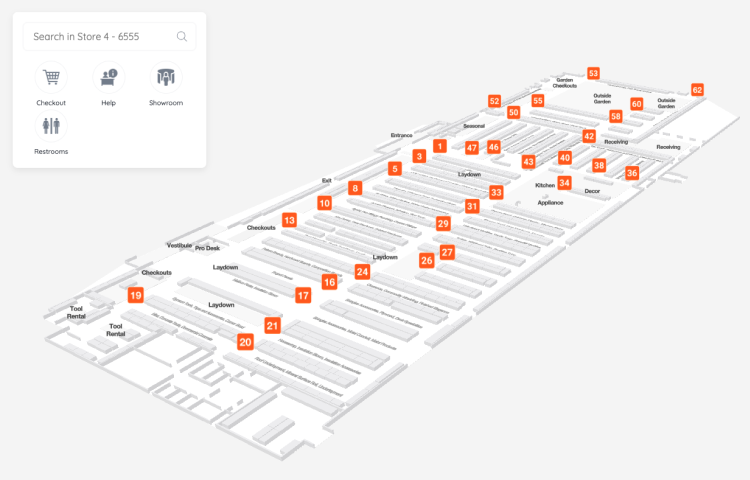
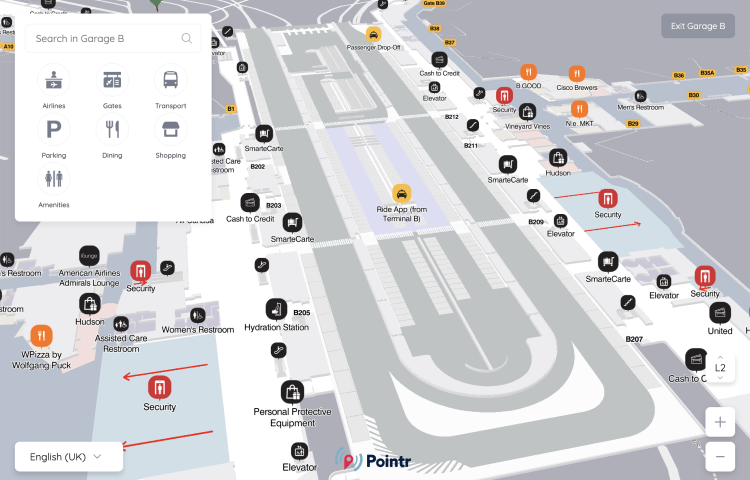
Pointr has adjusted our default map styles to support the different requirements of different sectors. &#x20;

**Workplaces**, **Events**, **Healthcare**, **Retail**, and **Aviation**.

<figure><img src="https://content.gitbook.com/content/X0ubTdDuDEByHfWtKKVg/blobs/LzC74zunwMA4mU8whdDa/sector-map-4.png" alt=""><figcaption></figcaption></figure>

{% tabs %}
{% tab title="Healthcare" %}

<figure><img src="https://content.gitbook.com/content/X0ubTdDuDEByHfWtKKVg/blobs/8hNhXAFtwY3iVXXdJsou/healthcare.png" alt=""><figcaption></figcaption></figure>
{% endtab %}

{% tab title="Workplace" %}

<figure><img src="https://content.gitbook.com/content/X0ubTdDuDEByHfWtKKVg/blobs/CdPk7HlnMNw1y9mLUV2R/workplace.png" alt=""><figcaption></figcaption></figure>
{% endtab %}

{% tab title="Events" %}

<figure><img src="https://content.gitbook.com/content/X0ubTdDuDEByHfWtKKVg/blobs/JYLHzoxQRczF2XMF4XIv/event.png" alt=""><figcaption></figcaption></figure>
{% endtab %}

{% tab title="Aviation" %}

<figure><img src="https://content.gitbook.com/content/X0ubTdDuDEByHfWtKKVg/blobs/0SmSllHyAx6Lu1BZ5JQi/airport.png" alt=""><figcaption></figcaption></figure>
{% endtab %}

{% tab title="Retail" %}

<figure><img src="https://content.gitbook.com/content/X0ubTdDuDEByHfWtKKVg/blobs/Fv1mJf7dTxNccKeqA5Md/retail.png" alt=""><figcaption></figcaption></figure>
{% endtab %}
{% endtabs %}

## Update Map Style JSON

Map styles can be applied based on the corresponding **map persona** and **sector**, helping deliver a more tailored map experience for different users and use cases across industries.

{% embed url="<https://app.storylane.io/share/5qg6v90z1xqd>" %}

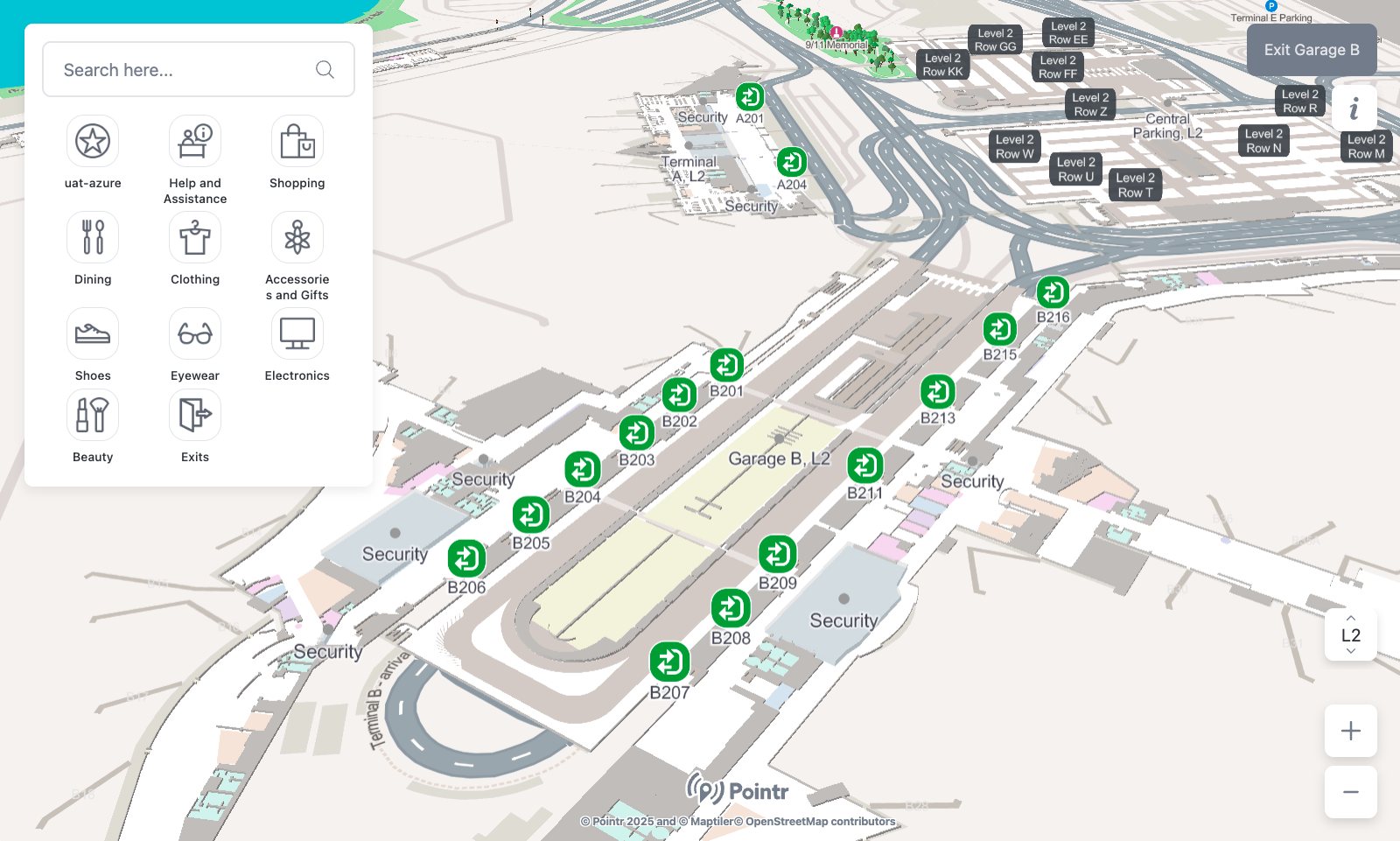
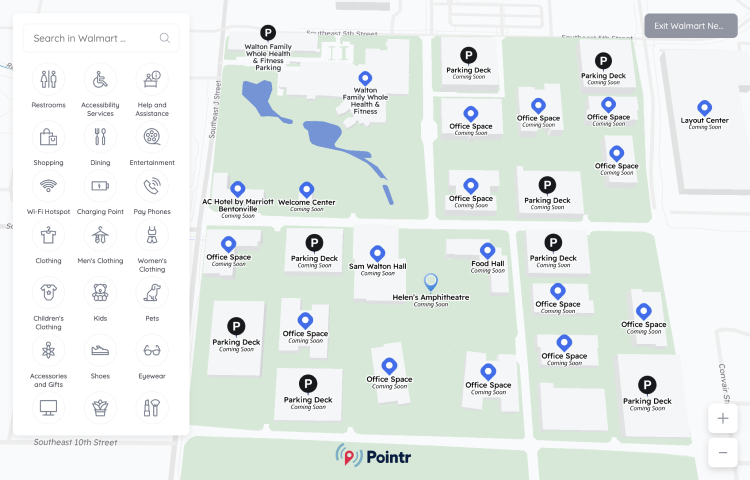
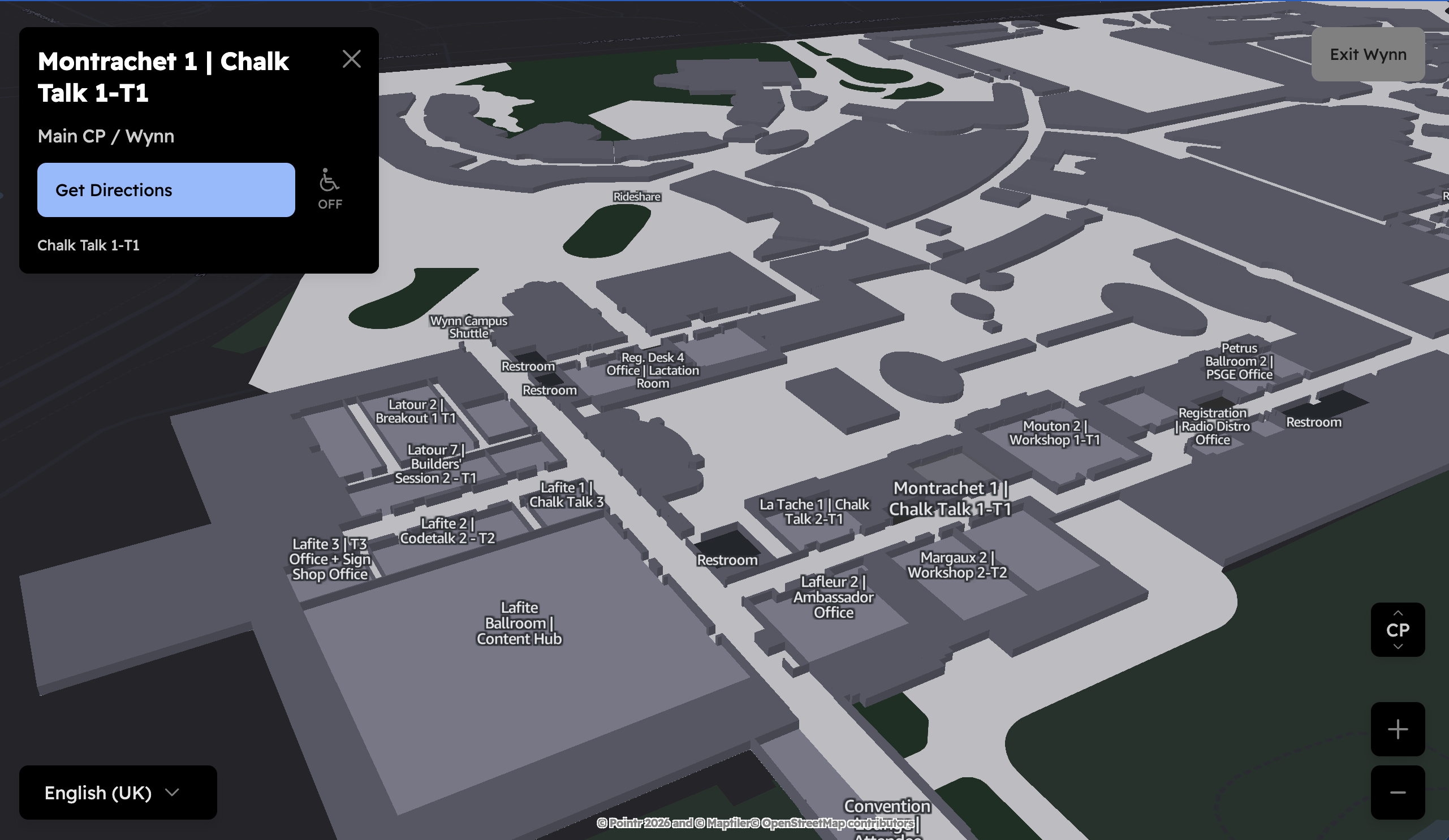
## Examples of Different Custom Map Styles

{% tabs fullWidth="false" %}
{% tab title="Pointr Default" %}

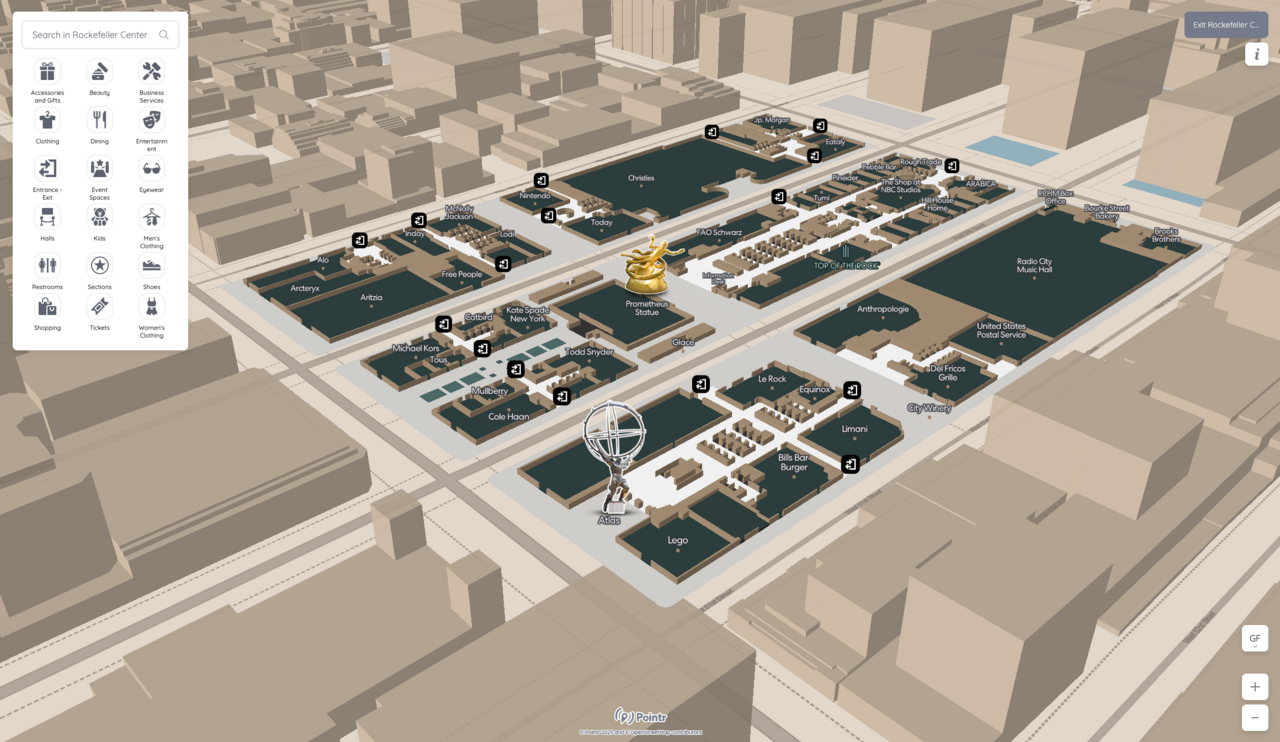
<figure><img src="https://content.gitbook.com/content/X0ubTdDuDEByHfWtKKVg/blobs/8vRXjcyh8fDdNsFj6v3g/Screenshot%202025-10-08%20at%2018.10.19.png" alt=""><figcaption><p><a href="https://pointr.express/map?b=60&#x26;l=1&#x26;s=40&#x26;t=HichrVZbCQpM505vfSqGWgFiu_GQqNmWKXRYdjT763G5Oo_si675SqCKW7rg8sO4q5Qm-0_4QhUQXhu7p44oZQ_5eC2sAe33p5lD4BqiD4E7jGQeeBFeeRPPjVEu5DAZ_0ZS45WiBTtgqy-sEmstiZjSBugwEavScWG2fr8">Demo link</a></p></figcaption></figure>
{% endtab %}

{% tab title=" A" %}

<figure><img src="https://content.gitbook.com/content/X0ubTdDuDEByHfWtKKVg/blobs/aaTLWefGJoBLbD1La65X/image.png" alt=""><figcaption><p><a href="https://pointr.express/map?b=1&#x26;s=1&#x26;t=HichrVZbCQpI505nb3WWEho1u-GB7JaWLzNGbS-7_G_4LIf_yfrhRvmMX7z88ZTxptsjrwP5V0YdQ0Dw9o5hYwGtcy_-Ve7x7sgV_xqoDoNpkW1FMU5AKBPXiR0tsXlB6hNc-pD-UD5vq3T8Gpp6vQrySz9BVPZ6Ok-yBAfZMZs">Demo Link</a></p></figcaption></figure>
{% endtab %}

{% tab title="B" %}

<figure><img src="https://content.gitbook.com/content/X0ubTdDuDEByHfWtKKVg/blobs/HbuWREvM1MZQd8vLoeEW/image.png" alt=""><figcaption><p><a href="https://pointr.express/map?b=1&#x26;l=0&#x26;s=1&#x26;t=HichrVZbCQpL71FiY2aMTBxo7_WS7JODK3IbYza8pm25JoXkzrD-E67MCfOvpMe6pY8i-wP7CkYeQ0zypoxhMQ7_cjKuUbry4skS4EzyWI0mlGAReEIXfR_X2B0o5HkU5xZc-pWiXmN7rCypEZ0u7INJDG3O4QsP-_kR_YCNclAjM8vfQQ">Demo Link</a></p></figcaption></figure>
{% endtab %}

{% tab title="C" %}

<figure><img src="https://content.gitbook.com/content/X0ubTdDuDEByHfWtKKVg/blobs/74LXEDhKdoHRknsUAwqu/image.png" alt=""><figcaption><p><a href="https://pointr.express/map?b=1&#x26;l=0&#x26;s=1&#x26;t=HichrVZbCQpb80BrZ2qDUwAg5_HNoIePaG1Zayih-jO1I4Tl2OKsTKWJWL749t3v8I4htRr8W0cEV0qh9pV_ZQCvci76BOzz7ZULthulWNA5xzIKKk5BewfO2x98r2xD5BZH4sz2U2418Hv4FJ4swJxQX3ohcOiGUvdOEJ0TGA">Demo Link</a></p></figcaption></figure>
{% endtab %}

{% tab title="D" %}

<figure><img src="https://content.gitbook.com/content/X0ubTdDuDEByHfWtKKVg/blobs/4a3FxcUloVQ1563BRDBI/image.png" alt=""><figcaption><p><a href="https://pointr.express/map?b=4&#x26;s=4&#x26;t=HichrVZbCQpX6U9vamKSUBgg4KjNpZKLKTBXci_7-HK_IZ_ikv3xELTdEbqu9cC5posjtRr_WUAEWknwpJV0ag_6bCv7U-r37p4W5R7zCsk-kGdBJBFEewfNhUt8r2BC5RJH7sX0UHc0-iypF8oo79BJDm_5a_8CWq3_nKxQymlJTqCI">Demo Link</a></p></figcaption></figure>
{% endtab %}

{% tab title="E" %}

<figure><img src="https://content.gitbook.com/content/X0ubTdDuDEByHfWtKKVg/blobs/7fh8AX9XrSQSIm3Fud7s/image.png" alt=""><figcaption><p><a href="https://pointr.express/map?b=6&#x26;l=2&#x26;s=2&#x26;t=HichrVZbCQpS51F5fmiQS0F7rr2BsZ7INnJfbDKnpn66IJ70k-KsTaWMX7f48t25qt92tRr9W0cEV0-n9JV4NwasJyf9Ueml6s8LsRqgWNZukmYKLEVDKwfOjkl1r2xG50FHtcalVTgy-ij6Fcl_InShobmXvoetnxeUdggkZw">Demo Link</a></p></figcaption></figure>
{% endtab %}

{% tab title="F" %}

<figure><img src="https://content.gitbook.com/content/X0ubTdDuDEByHfWtKKVg/blobs/xVFWVLYVum9Waw1ZyPAE/Screenshot%202026-03-11%20at%2017.32.11.png" alt=""><figcaption></figcaption></figure>

<p align="center"><a href="https://v9.pointr.express/?token=b2ef857d-d611-41d1-8526-aaaf636c6cc2">Demo Link</a></p>
{% endtab %}
{% endtabs %}

#### Map style URLs

Paste the URL for each persona into its **Map Style URL** field. These are the **generic** sector defaults on the **light** theme (OSM base map).

<table><thead><tr><th width="137.59375">Persona</th><th>Map Style URL</th></tr></thead><tbody><tr><td>Customer</td><td><code>https://pointrmapstorage.blob.core.windows.net/style/10.3.0/light/generic_customer_osm.json</code></td></tr><tr><td>Visitor</td><td><code>https://pointrmapstorage.blob.core.windows.net/style/10.3.0/light/generic_visitor_osm.json</code></td></tr><tr><td>Staff</td><td><code>https://pointrmapstorage.blob.core.windows.net/style/10.3.0/light/generic_staff_osm.json</code></td></tr><tr><td>VIP</td><td><code>https://pointrmapstorage.blob.core.windows.net/style/10.3.0/light/generic_vip_osm.json</code></td></tr><tr><td>Facility Manager</td><td><code>https://pointrmapstorage.blob.core.windows.net/style/10.3.0/light/generic_facilitymanager_osm.json</code></td></tr><tr><td>Contractor</td><td><code>https://pointrmapstorage.blob.core.windows.net/style/10.3.0/light/generic_contractor_osm.json</code></td></tr></tbody></table>

#### Map Style URL Customization

You can customize the map style URL to match your preferred base map provider and industry sector by modifying the prefix and suffix of the persona name in the URL.\
\
**Base Map Options**\
\
By default, the URLs in the table point to the OpenStreetMap (OSM) base map. To change the base map provider, replace the `_osm` suffix with one of the following options:<br>

* `_esri`: Switches to the ESRI Outdoor Maps.
* `_empty`: Switches to a backgroundless (empty) base map.<br>

**Sector Selection**

To tailor the map styling to a specific industry, replace the default generic prefix with one of the available sectors below:

* `aviation`
* `education`
* `events`
* `healthcare`
* `hospitality`
* `industrial`
* `mine`
* `public-transportation`
* `retail`
* `workplace`

**Configuration Examples:**

* OSM (Retail Sector): `.../light/retail_customer_osm.json`
* ESRI (Aviation Sector): `.../light/aviation_customer_esri.json`
* Empty (Workplace Sector): `.../light/workplace_customer_empty.json`

{% hint style="info" %}
Pointr Mobile SDK (iOS) has upgraded its Maplibre version. Due to this, if you're on Pointr Cloud v10.3+ but using an earlier (<10.3) Pointr Mobile SDK (iOS), either update your Mobile SDK to 10.3+ or use a legacy stylesheet by adding `-legacy` to the base map style URL – e.g. `…/generic_customer_osm-legacy.json`.
{% endhint %}


---

# Agent Instructions
This documentation is published with GitBook. GitBook is the documentation platform designed so that both humans and AI agents can read, navigate, and reason over technical content effectively. Learn more at gitbook.com.

## Querying This Documentation
If you need additional information that is not directly available in this page, you can query the documentation by asking a question.

Perform an HTTP GET request on the following URL with the `ask` and `goal` query parameters:

```
GET https://dev.pointr.tech/features/indoor-maps/customizations-and-branding/map-style.md?ask=<question>&goal=<user_goal>
```

`ask` is the immediate question: it should be specific, self-contained, and written in natural language.
`goal` is what the user is ultimately trying to achieve, the reason they need the answer. Sharing it helps GitBook give you a better, more relevant answer. A goal is most helpful when it describes the outcome the user wants rather than restating the question. For example, with `ask=how do I create an API token`, a goal like `automate deployments from our CI pipeline` lets GitBook tailor the answer to that use case.

The response will contain a direct answer to the question and relevant excerpts and sources from the documentation.

Use this mechanism when the answer is not explicitly present in the current page, you need clarification or additional context, or you want to retrieve related documentation sections.