> For the complete documentation index, see [llms.txt](https://dev.pointr.tech/llms.txt). Markdown versions of documentation pages are available by appending `.md` to page URLs; this page is available as [Markdown](https://dev.pointr.tech/features/indoor-maps/map-configuration/toast-messages.md).

# Toast Messages

Learn how toast messages provide lightweight, temporary feedback to users during map interactions and updates in the Pointr SDK.

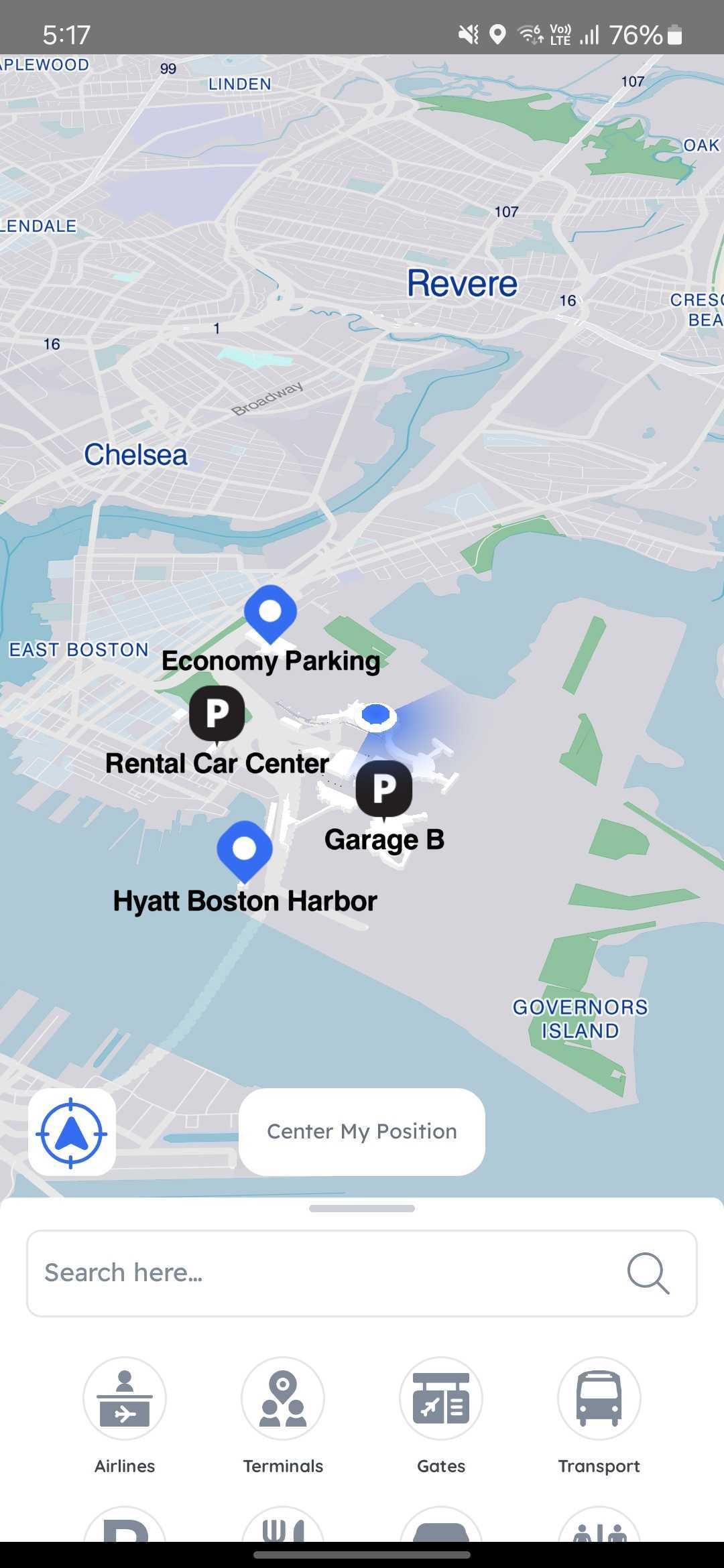
Toast messages are **small, temporary pop-ups** at the **bottom of the screen** that give quick feedback without interrupting the user.

* **Auto-dismissed** after a few seconds, on tap, or if no longer relevant.
* Screen remains **interactive** while visible.

## Enable / Disable Toast Messages

```
PTRMapWidgetConfiguration.isToastMessagesEnabled = true
```

{% hint style="info" %}
Toast messages follow the Listener/Handler architecture. For more details, check the [REST API Reference](broken://pages/1mA3K2QmUnSi2XPNiQr0).
{% endhint %}

## Types of Toast Messages

### Map Tracking Modes

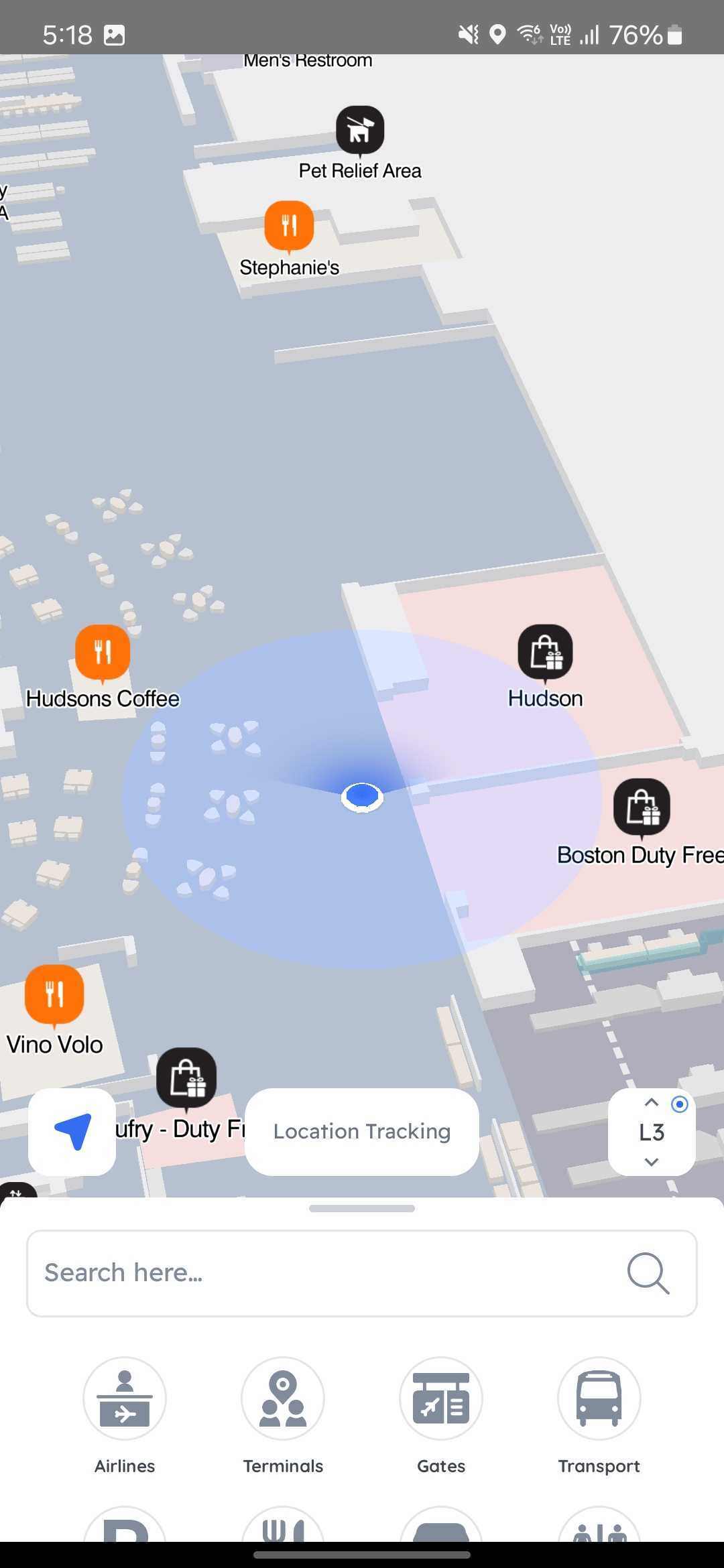
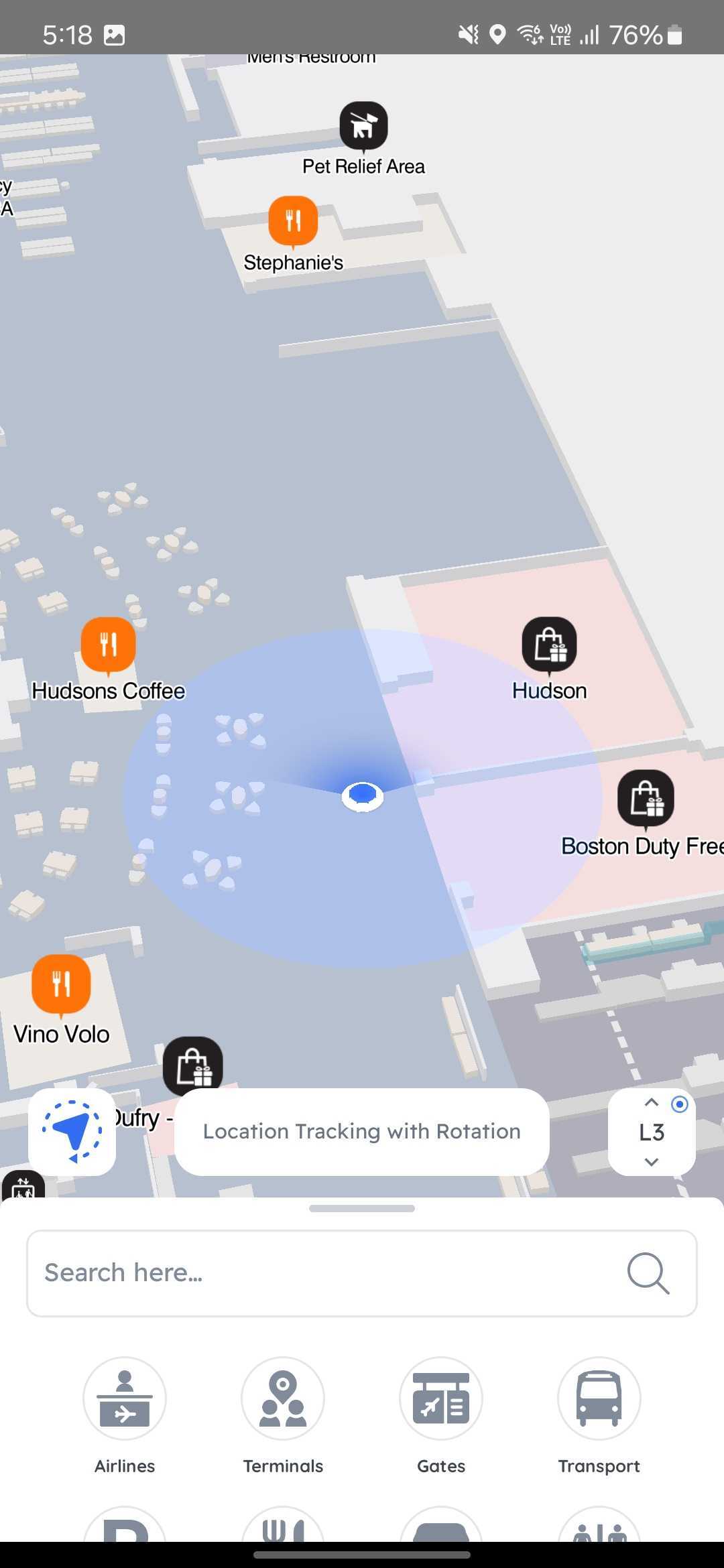
These messages inform the user about changes in map tracking behavior. Auto-dismissed in 1 second.

<table data-full-width="false"><thead><tr><th align="center">No Tracking</th><th align="center">Location Tracking</th><th align="center">Location Tracking with Rotation</th></tr></thead><tbody><tr><td align="center">The map is in manual mode—does not follow the user’s location or heading.</td><td align="center">The map follows the user’s current location.</td><td align="center">The map follows the user’s location and rotates with their heading direction.</td></tr><tr><td align="center"><img src="https://content.gitbook.com/content/X0ubTdDuDEByHfWtKKVg/blobs/7zOhuOKGIcfBaxP6UaWL/no_tracking.jpg" alt=""></td><td align="center"><img src="https://content.gitbook.com/content/X0ubTdDuDEByHfWtKKVg/blobs/wZLO3zmIbIYdLnk3mWH3/location_tracking.jpg" alt=""></td><td align="center"><img src="https://content.gitbook.com/content/X0ubTdDuDEByHfWtKKVg/blobs/cmU8TRNdPZYToB71F2h7/rotation_tracking.jpg" alt=""></td></tr></tbody></table>

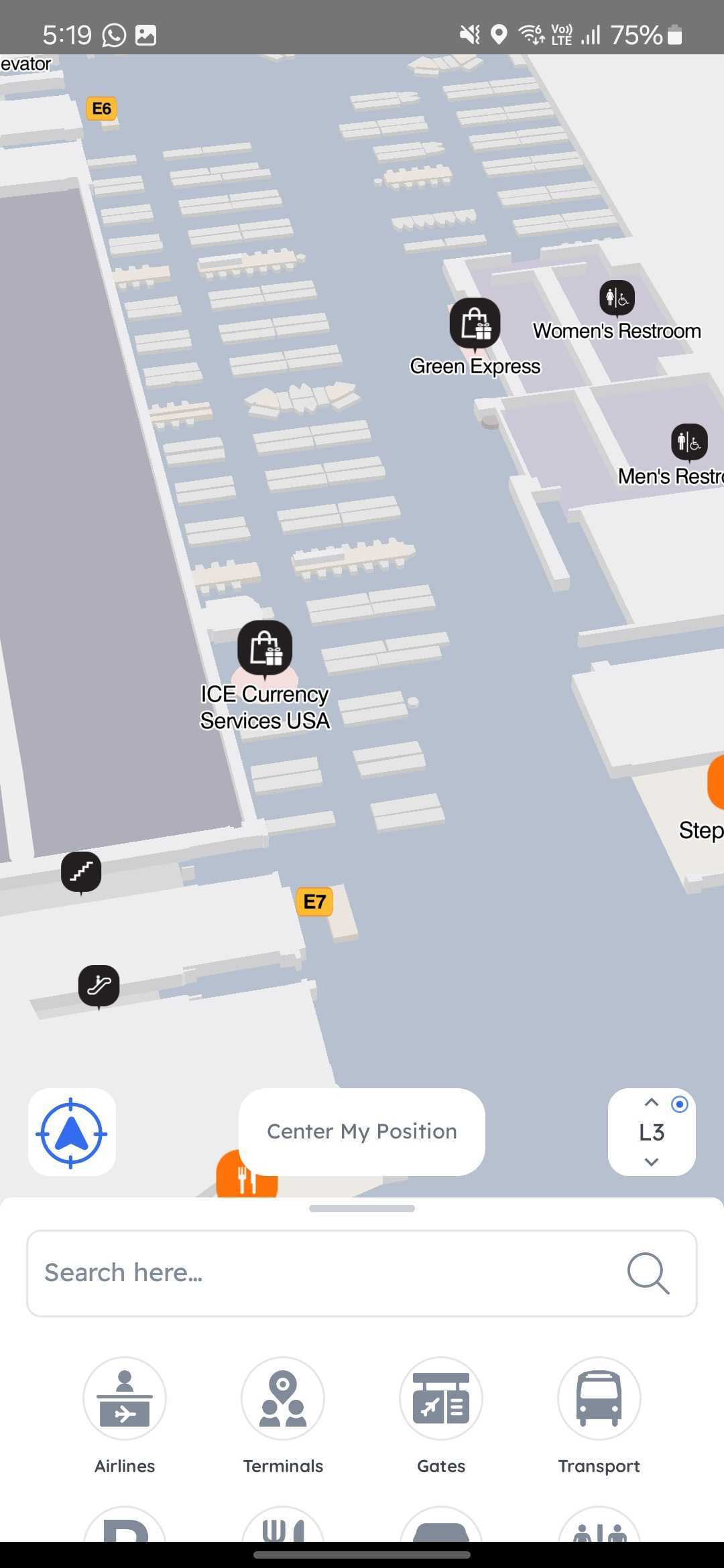
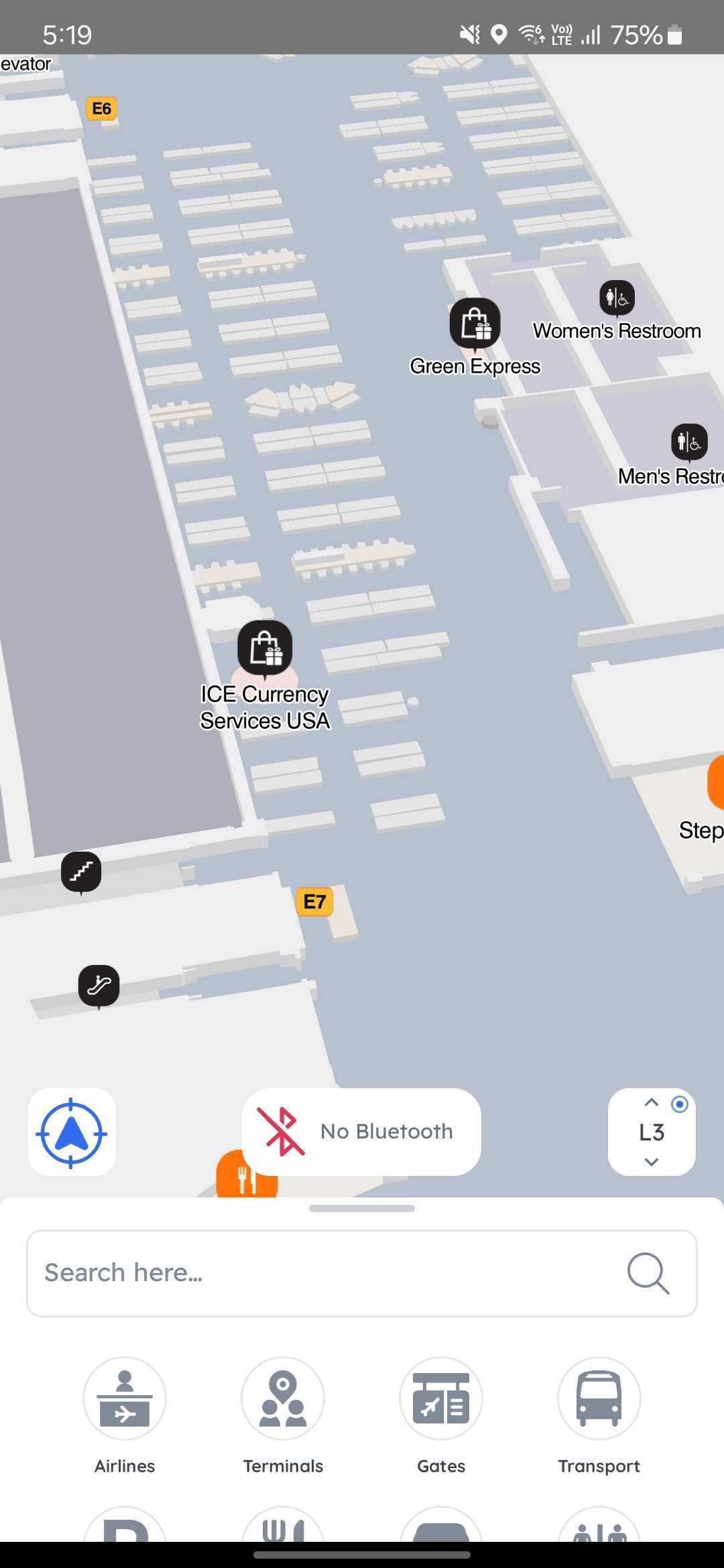
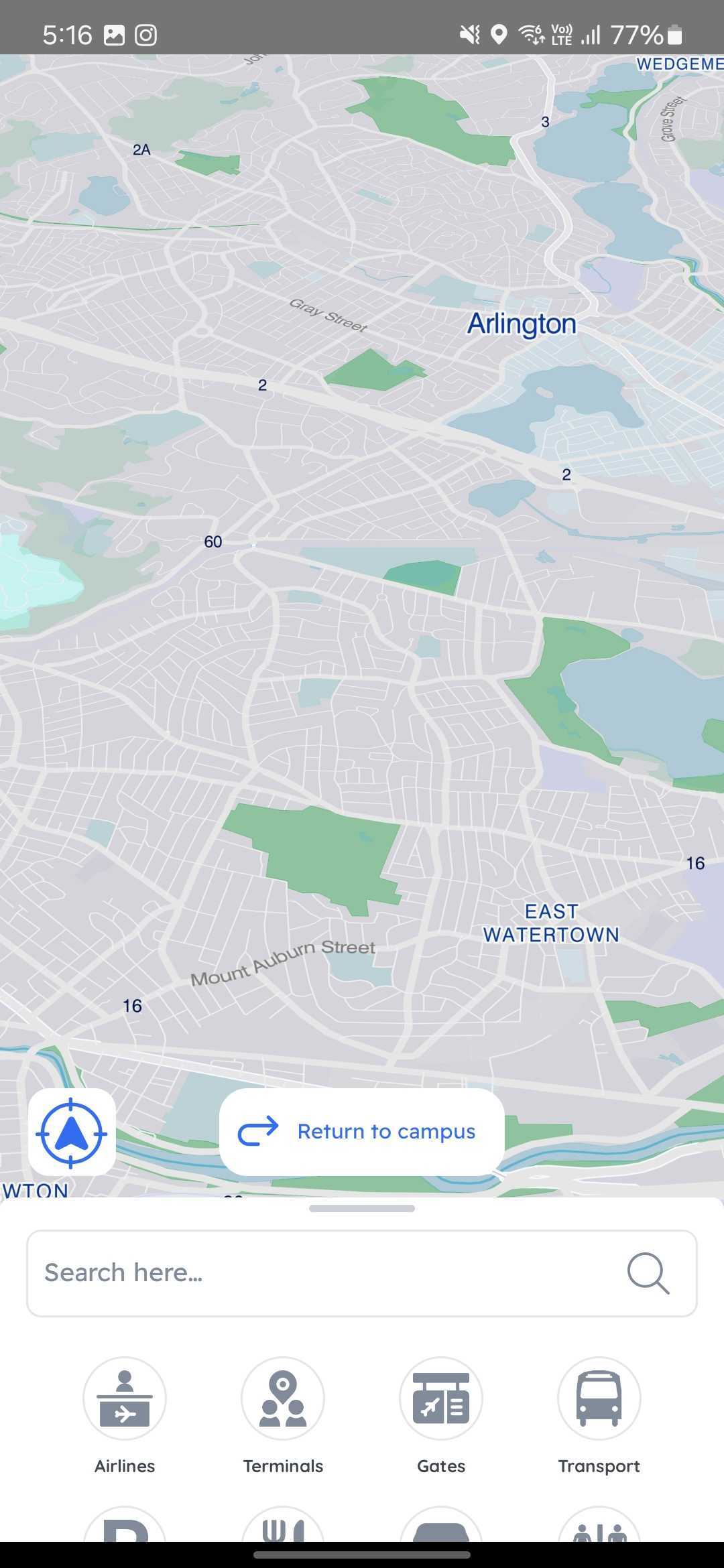
### User Location & Map Interaction

These messages help users locate themselves or return to relevant parts of the map.

<table data-full-width="false"><thead><tr><th align="center">Center My Location</th><th align="center">No Bluetooth</th><th align="center">Return to Campus</th></tr></thead><tbody><tr><td align="center">User is on-site but not visible in the viewport. Tap to recenter.</td><td align="center">Bluetooth is turned off; may affect indoor positioning and navigation.</td><td align="center">Map was moved outside the site boundary. Tap to return to the last visible site.</td></tr><tr><td align="center"><img src="https://content.gitbook.com/content/X0ubTdDuDEByHfWtKKVg/blobs/QLVyIxvWEJuOQvMiJaQK/center_my_position.jpg" alt="" data-size="original"></td><td align="center"><img src="https://content.gitbook.com/content/X0ubTdDuDEByHfWtKKVg/blobs/rHRGqmxIh1J7KiJ5Duva/no_bluetooth.jpg" alt=""></td><td align="center"><img src="https://content.gitbook.com/content/X0ubTdDuDEByHfWtKKVg/blobs/iAlwLFg5iLRslKFIwm66/return_to_campus.jpg" alt=""></td></tr></tbody></table>

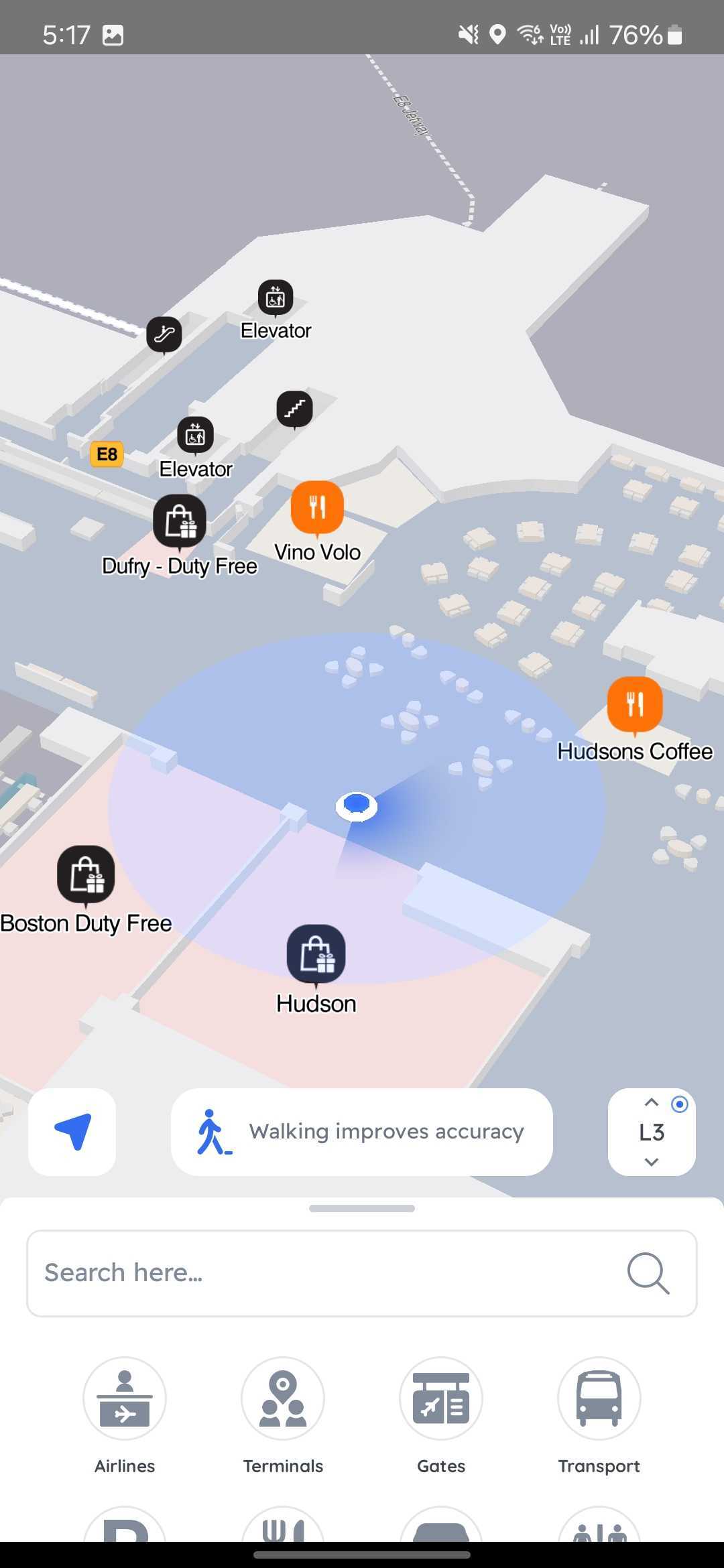
### Wayfinding Mode

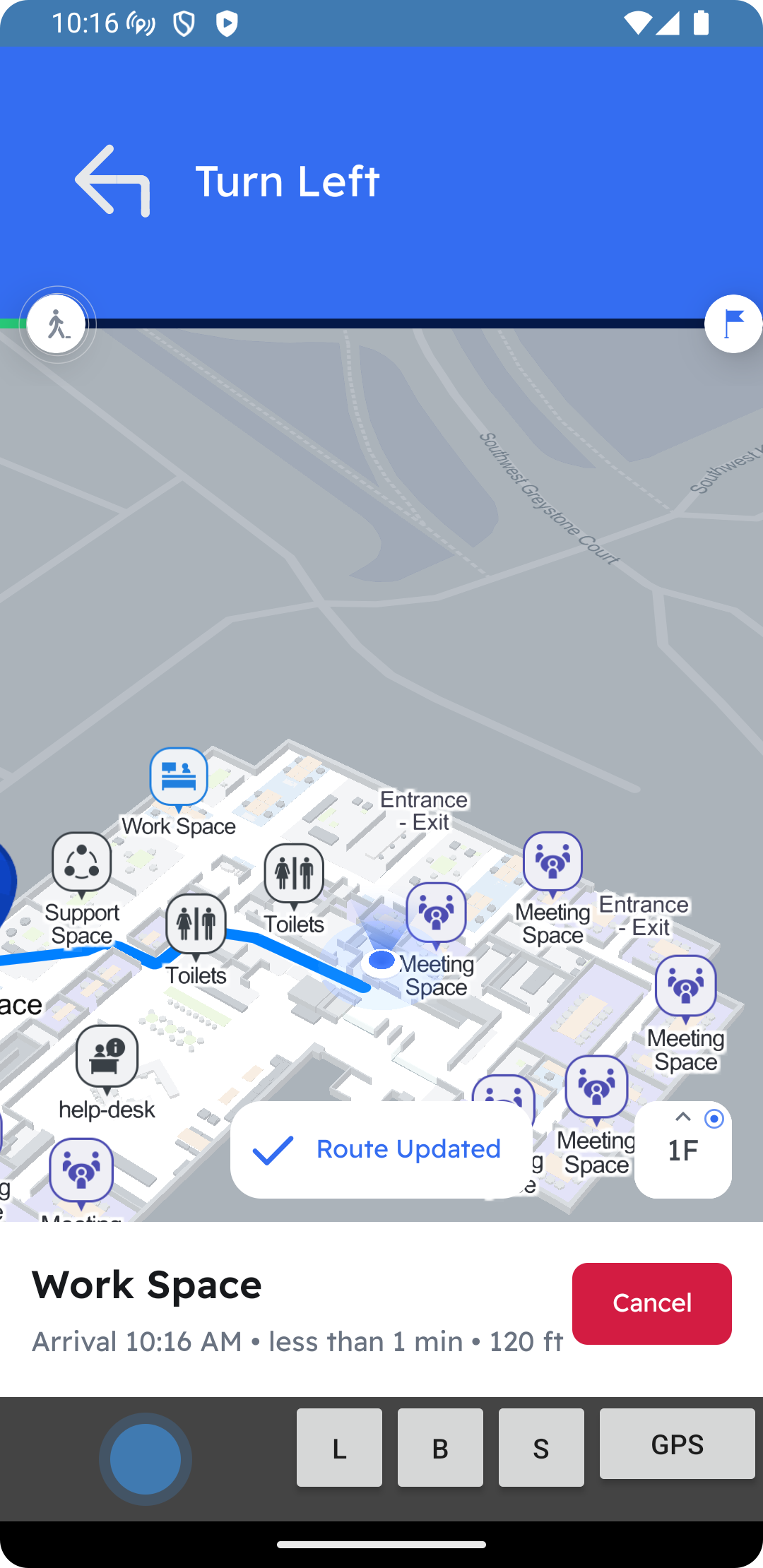
These messages appear during wayfinding and help users stay on route or understand accuracy.

<table data-full-width="false"><thead><tr><th align="center">Walking Improves Accuracy</th><th align="center">Route Update</th><th align="center">Wayfinding Unavailable</th></tr></thead><tbody><tr><td align="center">Displayed when heading accuracy is low; encourages walking to improve it.</td><td align="center">Shown when the user is rerouted. Auto-dismissed after 1 second.</td><td align="center">Shown when the user is too far (10+ km) from the mapped site; navigation is disabled.</td></tr><tr><td align="center"><img src="https://content.gitbook.com/content/X0ubTdDuDEByHfWtKKVg/blobs/HaPSOYn6asjXi4DAzvQU/walking_improves_accuracy.jpg" alt=""></td><td align="center"><img src="https://content.gitbook.com/content/X0ubTdDuDEByHfWtKKVg/blobs/10Y3m5QRWMME4vNbIATY/route_updated.png" alt=""></td><td align="center"><img src="https://content.gitbook.com/content/X0ubTdDuDEByHfWtKKVg/blobs/HaPSOYn6asjXi4DAzvQU/walking_improves_accuracy.jpg" alt=""></td></tr></tbody></table>

### Content Updates

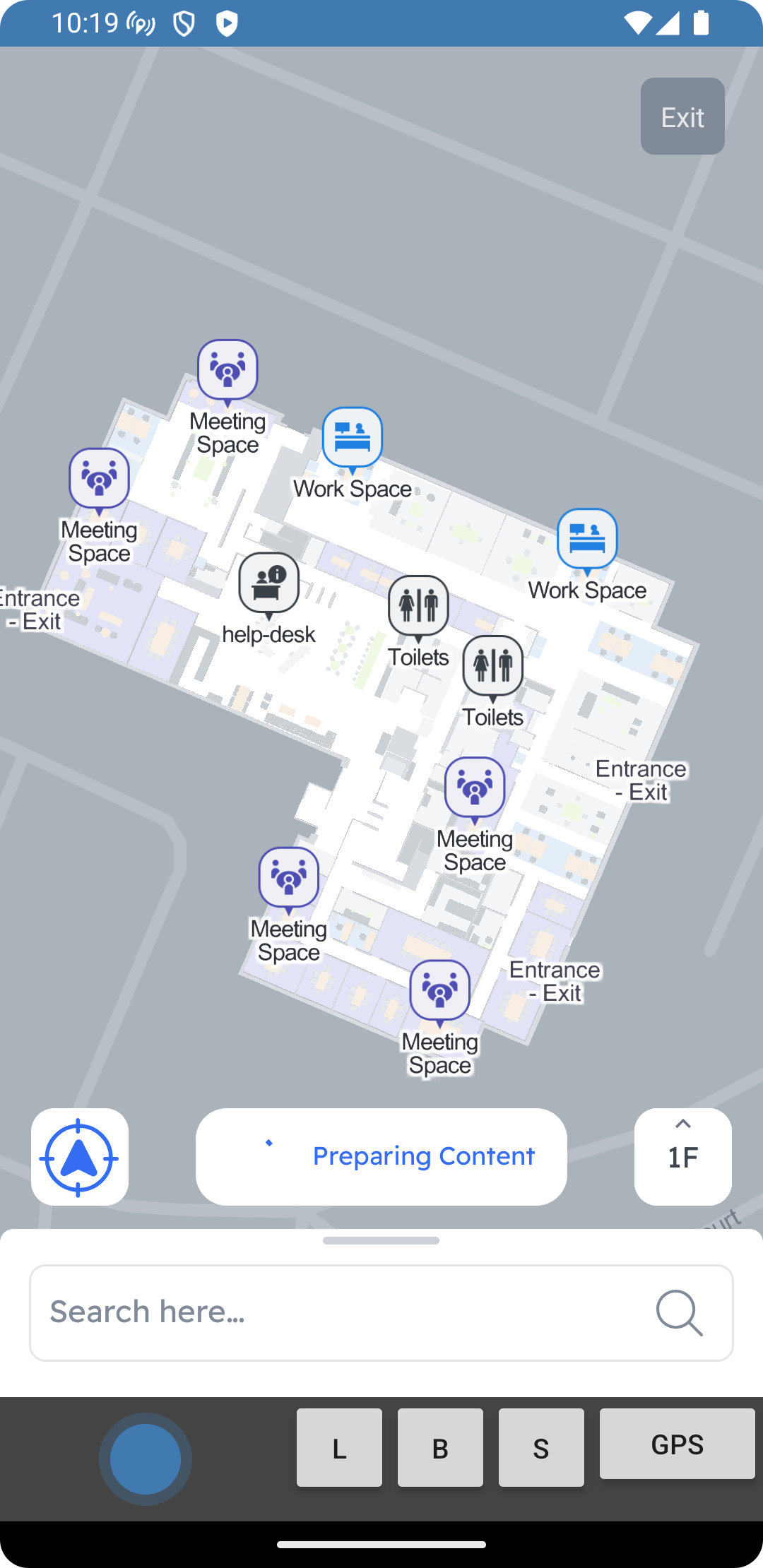
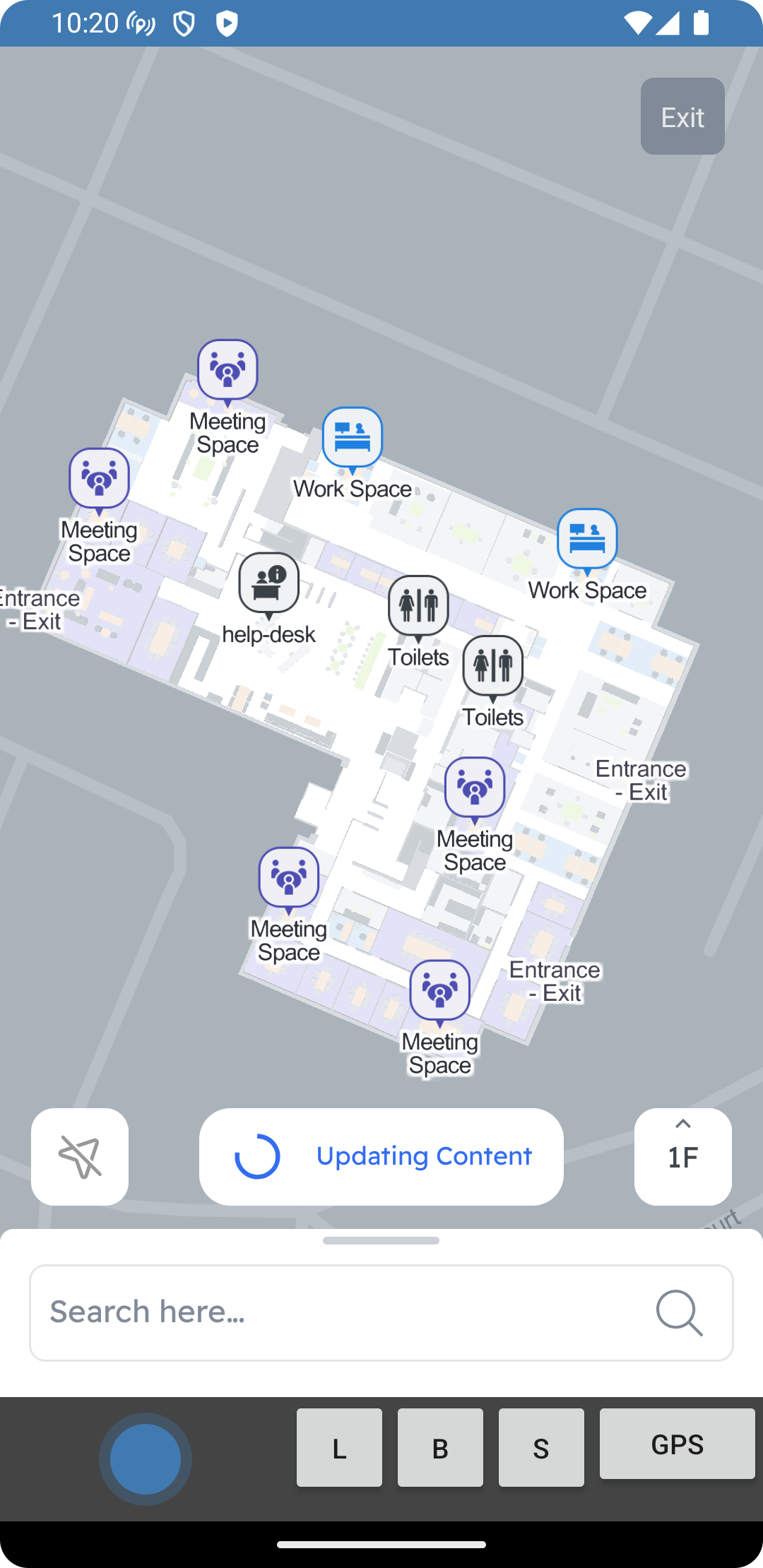
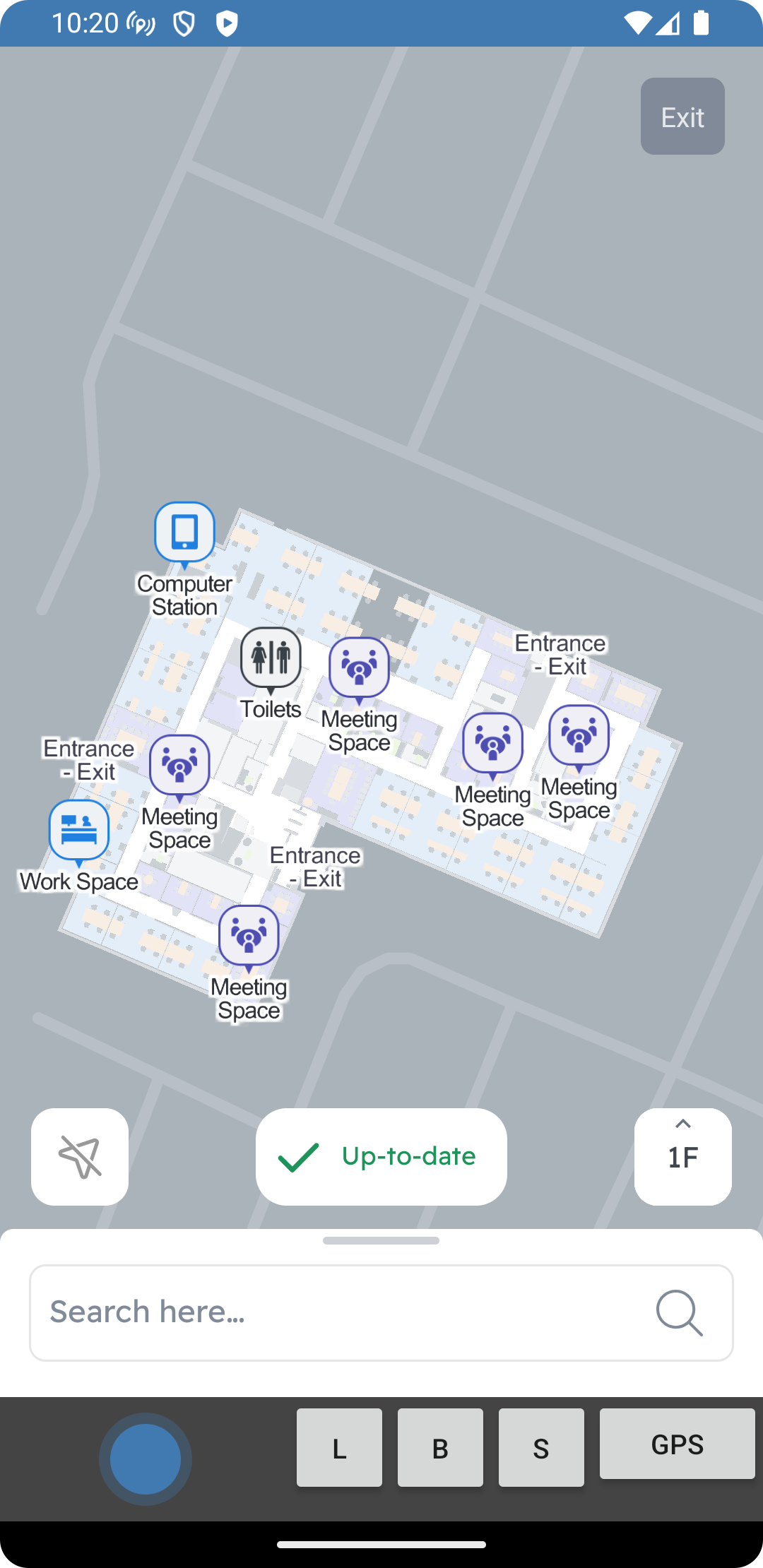
These messages appear during app content download or sync.

<table data-full-width="false"><thead><tr><th align="center">Preparing</th><th align="center">Updating</th><th align="center">Up-to-Date</th></tr></thead><tbody><tr><td align="center">Content is being downloaded for the first time.</td><td align="center">New content is being applied or refreshed.</td><td align="center">Content is current. Auto-dismissed after 1 second.</td></tr><tr><td align="center"><img src="https://content.gitbook.com/content/X0ubTdDuDEByHfWtKKVg/blobs/VwtZoEe30EYTXJqxQBCW/preparing_content.png" alt=""></td><td align="center"><img src="https://content.gitbook.com/content/X0ubTdDuDEByHfWtKKVg/blobs/AGQptsyZdWuICNDWqxfm/updating_content.png" alt=""></td><td align="center"><img src="https://content.gitbook.com/content/X0ubTdDuDEByHfWtKKVg/blobs/VCavjPi53HAs1deMvVnZ/up-to-date.png" alt=""></td></tr></tbody></table>


---

# Agent Instructions
This documentation is published with GitBook. GitBook is the documentation platform designed so that both humans and AI agents can read, navigate, and reason over technical content effectively. Learn more at gitbook.com.

## Querying This Documentation
If you need additional information that is not directly available in this page, you can query the documentation by asking a question.

Perform an HTTP GET request on the following URL with the `ask` and `goal` query parameters:

```
GET https://dev.pointr.tech/features/indoor-maps/map-configuration/toast-messages.md?ask=<question>&goal=<user_goal>
```

`ask` is the immediate question: it should be specific, self-contained, and written in natural language.
`goal` is what the user is ultimately trying to achieve, the reason they need the answer. Sharing it helps GitBook give you a better, more relevant answer. A goal is most helpful when it describes the outcome the user wants rather than restating the question. For example, with `ask=how do I create an API token`, a goal like `automate deployments from our CI pipeline` lets GitBook tailor the answer to that use case.

The response will contain a direct answer to the question and relevant excerpts and sources from the documentation.

Use this mechanism when the answer is not explicitly present in the current page, you need clarification or additional context, or you want to retrieve related documentation sections.