> For the complete documentation index, see [llms.txt](https://dev.pointr.tech/llms.txt). Markdown versions of documentation pages are available by appending `.md` to page URLs; this page is available as [Markdown](https://dev.pointr.tech/features/indoor-maps/search.md).
# Search
Learn how our default search engine works for Point of Interest (POI) content in both mobile and web SDKs.
{% tabs %}
{% tab title="v10.15 onwards" %}
## How Search Works
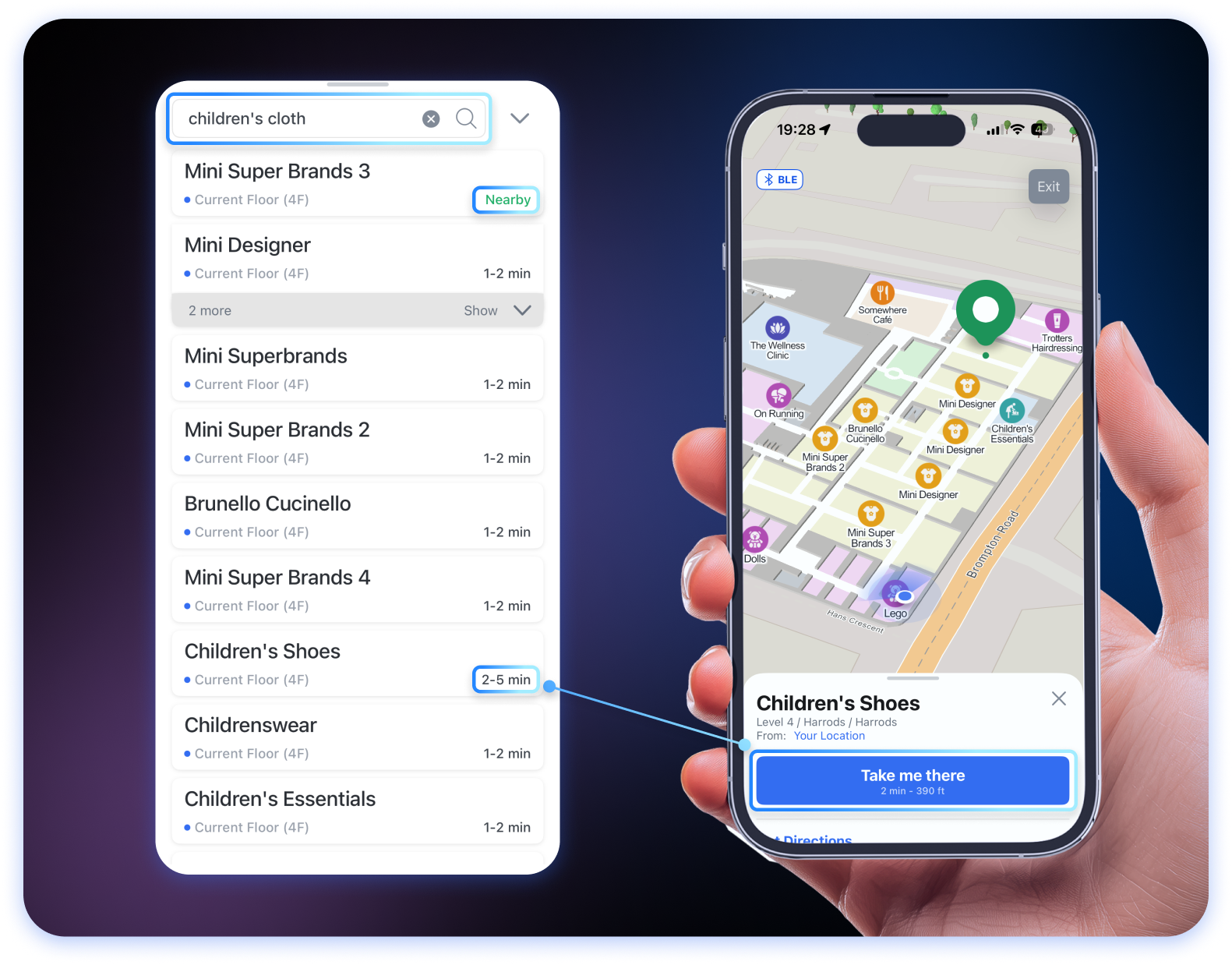
Search runs on the device, so results appear as you type, online or offline. On supported devices, Agentic Search uses AI to understand what the visitor means when the standard search has no clear answer.
## What Search Understands
* **Typos**, such as "starbuks" for Starbucks.
* **Places and scope**, such as gate codes ("B12"), building names ("coffee in terminal C") and "this floor".
* **Needs**, such as cuisines, dietary options ("vegan"), accessibility ("wheelchair accessible") and amenities ("wifi").
A POI's name, keywords and tags count more than its description.
## Ranking Criteria
Results are ranked by how well they match the query:
* **Needs.** Places that confirm a requirement such as a dietary option come first. Places that record nothing for it follow, marked as not confirmed. Places that record a different value are left out. For preferences such as a cuisine, close alternatives are shown when nothing matches exactly, and are marked as alternatives.
* **Relevance.** A POI's name matters most, then its keywords, tags and details, then its description.
* **Opening hours.** Among similar matches, open places rank above places opening soon, then closed places.
* **Featured POIs.** Up to 2 matching Featured POIs that are not closed are boosted.
* **Distance.** When your location is known, the nearest of similar matches come first, by walking time. Distance shouldn't lift a weaker match above a stronger one.
Places that share a name and type are grouped. Places whose status is closed, temporarily closed, under maintenance or under construction are not shown.
{% endtab %}
{% tab title="v9.9.0 onwards" %}
### Ranking Criteria
The POI search algorithm ranks matches through a layered pipeline that uses both textual relevance and proximity. Each POI is scored against the query using a set of predicates organized into three tiers:
* Best matches (exact title, title starts with query, whole-word match, type, keywords)
* Good matches (partial title, word prefix, tags)
* Weak matches (fuzzy title with typo tolerance, description).
A match from a higher tier always ranks above any match from a lower tier, so distance never overrides relevance across tiers. Within a tier, results are ordered by estimated walking time when the user's location is known (accounting for real walkable paths, floor transitions, and walking speed), or alphabetically otherwise.
POIs sharing a name and type are grouped together, with the closest member determining the group's position.
{% endtab %}
{% tab title="Previous Versions" %}
### Ranking Criteria
*Our default POI Search Algorithm ranks the queries as below (in descending priority):*
1. Title exact match with query
2. Title starts with query
3. Title words start with query
4. Title contains contents of query ([Fuzzy Search](#fuzzy-search-for-titles))
5. Keywords contain text of query
6. Description contains text of query
7. Type contains text of query
### Sorting
*Same priority matches are sorted:*
* by approximate distance, **IF location is available**
* alphabetically based on title, **IF location is unavailable**
{% hint style="info" %}
**Distance** is given by **estimated time of arrival** and is calculated taking into account **transitions** and **walking speed** of a person.
{% endhint %}
### Normalization
The input to search, and the strings that are searched against (titles, descriptions, keywords, etc) are normalized.
Translation of Accent Characters
```
'à' => "a", 'á' => "a", 'â' => "a", 'ä' => "a", 'æ' => "a", 'ã' => "a", 'å' => "a", 'ā' => "a",
'À' => "a", 'Á' => "a", 'Â' => "a", 'Ä' => "a", 'Æ' => "a", 'Ã' => "a", 'Å' => "a", 'Ā' => "a",
'ç' => "c", 'ć' => "c", 'č' => "c", 'Ç' => "c", 'Ć' => "c", 'Č' => "c", 'è' => "e", 'é' => "e",
'ê' => "e", 'ë' => "e", 'ē' => "e", 'ė' => "e", 'ę' => "e", 'È' => "e", 'É' => "e", 'Ê' => "e",
'Ë' => "e", 'Ē' => "e", 'Ė' => "e", 'Ę' => "e", 'î' => "i", 'ï' => "i", 'í' => "i", 'ī' => "i",
'į' => "i", 'ì' => "i", 'ı' => "i", 'Î' => "i", 'Ï' => "i", 'Í' => "i", 'Ī' => "i", 'Į' => "i",
'Ì' => "i", 'I' => "i", 'ł' => "l", 'Ł' => "l", 'ñ' => "n", 'ń' => "n", 'Ñ' => "n", 'Ń' => "n",
'ô' => "o", 'ö' => "o", 'ò' => "o", 'ó' => "o", 'œ' => "o", 'ø' => "o", 'ō' => "o", 'õ' => "o",
'Ô' => "o", 'Ö' => "o", 'Ò' => "o", 'Ó' => "o", 'Œ' => "o", 'Ø' => "o", 'Ō' => "o", 'Õ' => "o",
'ß' => "s", 'ś' => "s", 'š' => "s", 'Ś' => "s", 'Š' => "s", 'û' => "u", 'ü' => "u", 'ù' => "u",
'ú' => "u", 'ū' => "u", 'Û' => "u", 'Ü' => "u", 'Ù' => "u", 'U' => "u", 'Ū' => "u", 'ÿ' => "y",
'Ÿ' => "y", 'ž' => "z", 'ź' => "z", 'ž' => "z", 'Ž' => "z", 'Ź' => "z", 'Ż' => "z", 'ğ' => "g",
'Ğ' => "g", '&' => " and ", '¿' => "?"
```
* Symbols are removed except `{ + - ! ? < > : " ( ) * { } [ ] % ^ @ $`.
* Alphanumeric characters are converted to lowercase.
* Multiple whitespaces are converted to single whitespace.
* Non-latin characters are kept as is.
### Fuzzy Search for Titles
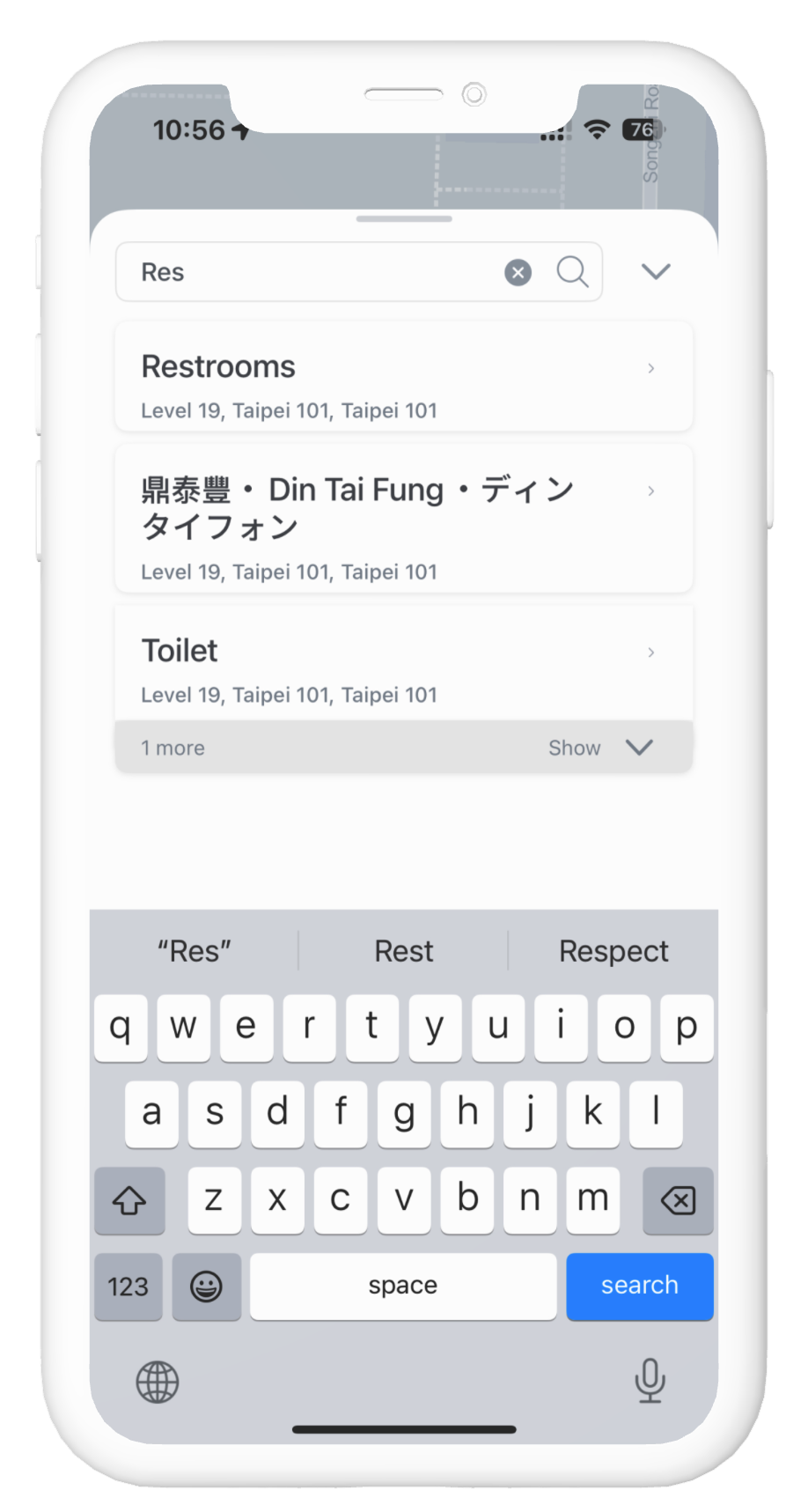
Fuzzy search is only carried out when the titles of POIs contain the contents (i.e. characters) from the query string.
| Example results for the search term "Res": |
| ----------------------------------------------------------------------------------------------------------------------------------------- |
| |
{% hint style="info" %}
Default search does not calculate the string distance between the query strings and all the title/description/keyword/type pairs.
{% endhint %}
{% endtab %}
{% endtabs %}
---
# Agent Instructions
This documentation is published with GitBook. GitBook is the documentation platform designed so that both humans and AI agents can read, navigate, and reason over technical content effectively. Learn more at gitbook.com.
## Querying This Documentation
If you need additional information that is not directly available in this page, you can query the documentation by asking a question.
Perform an HTTP GET request on the following URL with the `ask` and `goal` query parameters:
```
GET https://dev.pointr.tech/features/indoor-maps/search.md?ask=&goal=
```
`ask` is the immediate question: it should be specific, self-contained, and written in natural language.
`goal` is what the user is ultimately trying to achieve, the reason they need the answer. Sharing it helps GitBook give you a better, more relevant answer. A goal is most helpful when it describes the outcome the user wants rather than restating the question. For example, with `ask=how do I create an API token`, a goal like `automate deployments from our CI pipeline` lets GitBook tailor the answer to that use case.
The response will contain a direct answer to the question and relevant excerpts and sources from the documentation.
Use this mechanism when the answer is not explicitly present in the current page, you need clarification or additional context, or you want to retrieve related documentation sections.

 |
{% hint style="info" %}
Default search does not calculate the string distance between the query strings and all the title/description/keyword/type pairs.
{% endhint %}
{% endtab %}
{% endtabs %}
---
# Agent Instructions
This documentation is published with GitBook. GitBook is the documentation platform designed so that both humans and AI agents can read, navigate, and reason over technical content effectively. Learn more at gitbook.com.
## Querying This Documentation
If you need additional information that is not directly available in this page, you can query the documentation by asking a question.
Perform an HTTP GET request on the following URL with the `ask` and `goal` query parameters:
```
GET https://dev.pointr.tech/features/indoor-maps/search.md?ask=