> For the complete documentation index, see [llms.txt](https://dev.pointr.tech/llms.txt). Markdown versions of documentation pages are available by appending `.md` to page URLs; this page is available as [Markdown](https://dev.pointr.tech/features/wayfinding/managing-wayfinding-network/blue-dot-wayfinding-network-bias.md).
# Blue Dot Wayfinding Network Bias
Enable this feature to favor the Wayfinding Network during navigation
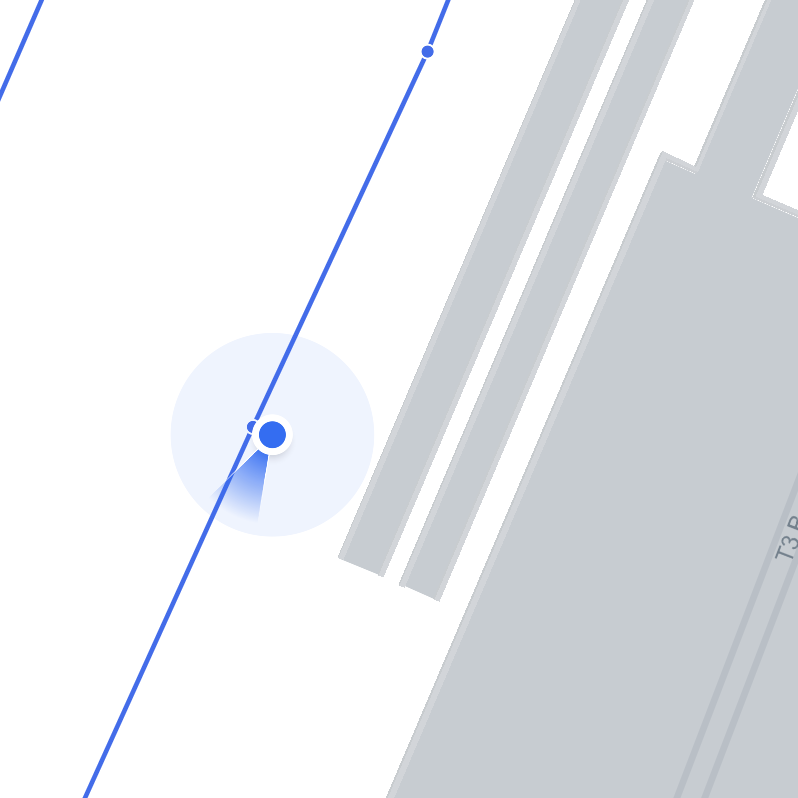
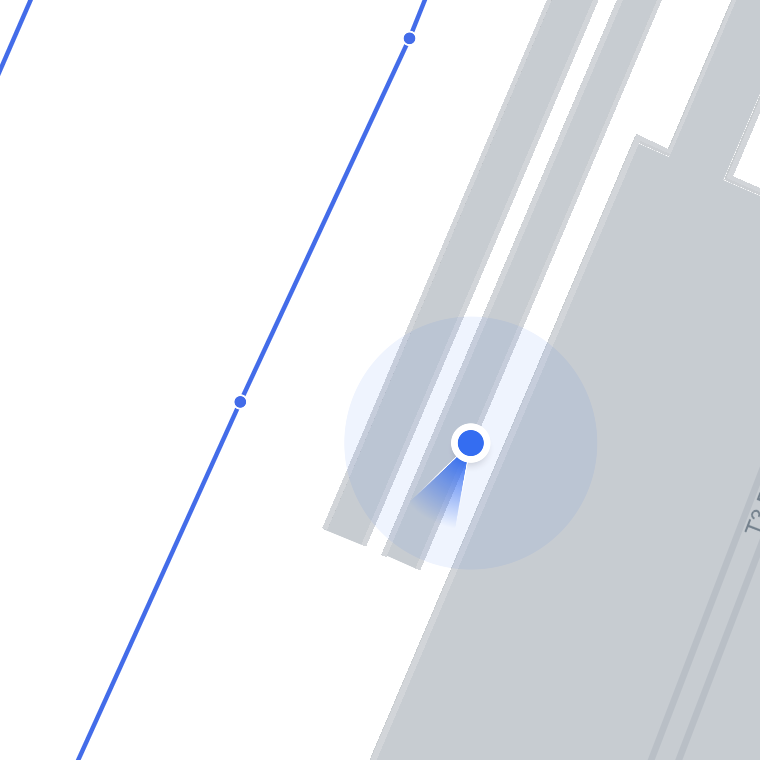
Pointr Mobile SDK v9.1 introduces the Blue Dot Wayfinding Network Bias feature. This feature aims to improve blue dot accuracy by making it more likely to be placed near/along wayfinding network paths. The rationale here is that the walkable paths defined by the wayfinding network are more likely to be traversed by the users than other areas.
This is not synonymous with path snapping, but it is rather a soft bias to account for true indoor pedestrian behavior. So even if a user veers off a wayfinding network path in a consistent manner, the blue dot will eventually follow the true position.
This feature is especially useful for deployments with sparse or non-ideal beacon/AP topologies, which are susceptible to various blue dot inaccuracies or pulls.
| | |
| ----------------------------------------------------------------------------------------------------------------------------------------------------------------------------------------------- | ------------------------------------------------------------------------------------------------------------------------------------------------------------------------------------------------ |
| | |
| Network Bias enabled | Network Bias disabled |
### Configuration
Wayfinding network bias can be enabled via Configuration screen on Pointr Cloud Dashboard, in Positioning category under Advanced:

{% hint style="info" %}
To avoid unwanted effects, please ensure the wayfinding network is set up correctly, i.e. the paths cover all the areas that the users are likely to traverse throughout the floor.
{% endhint %}
---
# Agent Instructions
This documentation is published with GitBook. GitBook is the documentation platform designed so that both humans and AI agents can read, navigate, and reason over technical content effectively. Learn more at gitbook.com.
## Querying This Documentation
If you need additional information that is not directly available in this page, you can query the documentation by asking a question.
Perform an HTTP GET request on the following URL with the `ask` and `goal` query parameters:
```
GET https://dev.pointr.tech/features/wayfinding/managing-wayfinding-network/blue-dot-wayfinding-network-bias.md?ask=&goal=
```
`ask` is the immediate question: it should be specific, self-contained, and written in natural language.
`goal` is what the user is ultimately trying to achieve, the reason they need the answer. Sharing it helps GitBook give you a better, more relevant answer. A goal is most helpful when it describes the outcome the user wants rather than restating the question. For example, with `ask=how do I create an API token`, a goal like `automate deployments from our CI pipeline` lets GitBook tailor the answer to that use case.
The response will contain a direct answer to the question and relevant excerpts and sources from the documentation.
Use this mechanism when the answer is not explicitly present in the current page, you need clarification or additional context, or you want to retrieve related documentation sections.